 ProMapRanker
Best Legal Form Software in 2026

Word based drafting inside MyCase · Pricing starts at: $130 per user/month (billed annually)
Direct answer
Woodpecker comes first here, mainly for Word based drafting inside MyCase. Listed starting prices: Woodpecker from $130 per user/month, Typeform from $28 a month and Gavel (formerly Documate) from $83 per month. If your case is different, Typeform suits conversational client intake forms and Gavel (formerly Documate) suits legal intake and document automation. The other 4 tools in the list cover narrower or pricier cases.
Choosing legal form software usually comes down to price, fit and limits. This ProMapRanker guide sets 7 tools side by side on those three points, with the facts kept short and checkable.
Key takeaways
- The list opens with Woodpecker, aimed at Word based drafting inside MyCase.
- Clio Draft is the one to check for court forms inside the Clio system.
- The cheapest monthly starting price in the list is $28 per month, offered by Typeform.
- Only 2 of the 7 tools have a free plan (Typeform, Jotform), so check the caps.
- The main caution on Typeform: free plan permits only 10 responses a month.
Quick comparison
| Pick | Great for | Pricing starts at | Free tier | |
|---|---|---|---|---|
| Woodpecker | Word based drafting inside MyCase | $130 per user/month (billed annually) | Free trial (10 days) | Visit |
 Typeform | Conversational client intake forms | $28 a month (billed yearly) | Yes | Visit |
 Gavel (formerly Documate) | Legal intake and document automation | $83 per month (billed yearly) | Free trial (7 days) | Visit |
 LawYaw | Court forms for small businesses | $70 a month | Free trial (7 days) | Visit |
 Jotform | Low cost online forms and intake | $34 a month (billed yearly) | Yes | Visit |
 HotDocs | Complicated legal documents at scale | Quote only | No | Visit |
 Clio Draft | Court forms inside the Clio system | Quote only | Free trial (7 days) | Visit |
The full legal form software list
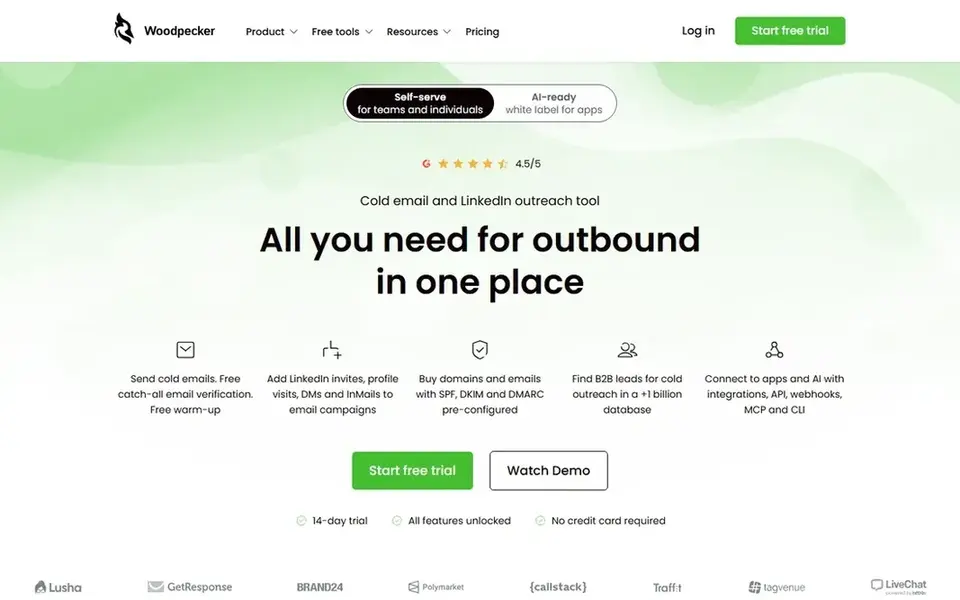
Woodpecker was built for Word based drafting inside MyCase. Woodpecker was a standalone Word add in for legal document automation, and MyCase acquired it in 2021. A 10 day free trial is available with no credit card.
Trade-offs to know: Price rises with every user.
In daily use, Woodpecker no longer sells as a standalone product. From a buyer's view, MyCase Advanced costs $130 per user a month when billed annually, or $150 per user a month when billed monthly. A firm that already uses MyCase can build templates in Word, add conditional logic and clause libraries, and pull client and matter data straight into documents. The starting price for Woodpecker: $130 per user/month. Trial and free access: Free trial (10 days).
- Pulls client and case data from MyCase
- Works inside Microsoft Word, where lawyers already draft
- No standalone sale, so businesses must buy the full MyCase suite
For conversational client intake forms, Typeform is a natural candidate. Plus costs $56 a month when billed yearly for 1,000 responses, and Business costs $91 a month when billed yearly for 10,000 responses.
Downsides: Price rises with response volume, not users.
In daily use, a firm can add logic jumps, file uploads, payment questions, and calculations, and can link answers to tools for example Google Sheets, Slack, and Zapier. Price to start with Typeform: $28 per month. Typeform has a free plan.
- Unlimited forms on every plan
- Clean one question at a time design
- Free plan lets only 10 responses a month
Gavel (formerly Documate) is a good fit for legal intake and document automation. Gavel, formerly Documate, is a legal document automation system made for law businesses. Worth adding: conditional logic, calculations, and saved client data cut retyping, and the legal template library provides businesses a starting point for typical documents.
On top of that, the Lite plan for Gavel Workflows costs $83 a month when billed yearly, or $99 a month when billed monthly. Also, a firm can turn a Word or PDF template into a guided questionnaire, share it through a client portal, and produce a finished document from the answers. Standard costs $210 a month on the plan card, Pro costs $290 a month, and Scale begins at $417 a month when billed yearly. From a buyer's view, a 7 day free trial is available with no credit card. What you pay to start with Gavel (formerly Documate): $83 per month. Free options: Free trial (7 days).
Points against: Advanced features sit on Pro and Scale.
- Client portal with guided questionnaires
- No code workflows for Word and PDF
- Lite plan lets only 10 templates and 10 workflows
LawYaw was built for court forms for small businesses. LawYaw began as a standalone tool for court forms and Word document automation, and Clio acquired it in 2021 and later renamed it Clio Draft.
Worth adding: businesses outside Clio should weigh that link carefully, since the product now sits inside the Clio system. LawYaw starts at: $70 per month. Free options: Free trial (7 days).
What to check first: Now part of Clio, so future plans follow Clio Work.
- Direct link to Clio Manage matter data
- Large library of fillable court forms
- Advanced automation sits on higher levels

Jotform is aimed squarely at low cost online forms and intake. Silver costs $39 a month when billed yearly, and Gold costs $99 a month when billed yearly and brings HIPAA features. The free Starter plan comes with 5 forms, 100 submissions a month, and 100 MB of upload space.
Watch-outs: Submission and view limits rise with volume.
More specifically, Jotform is a capable choice for straightforward intake. A weaker choice for businesses that require Word template automation or a court forms library. Jotform is an online form builder that plenty of small businesses use for intake, contact forms, client surveys, and payment collection. It provides a drag-and-drop builder, conditional logic, file uploads, e-signatures, and integrations with tools for example Google Sheets, Slack, and Zapier. On cost, Jotform starts like this: $34 per month. Jotform includes a free tier.
- Large template library and plenty of integrations
- Free Starter plan with 5 forms
- HIPAA features start on the Gold plan
HotDocs is aimed squarely at complicated legal documents at scale. Businesses must request a quote, and the final figure relies on user count, deployment, and implementation work. For everyday use, there is no free plan and no free trial listed.
That makes HotDocs a poor fit for a solo lawyer who wants a fast start. A better fit for a firm that already has a template library, a clear document set, and staff time to build and maintain templates. On top of that, we reviewed the vendor site and current listings on 13 November 2026, and HotDocs does not publish a price on its public pages. A lawyer or administrator builds a template once, brings fields, rules, and clauses, and then answers a set of questions to produce a finished document. There is no fixed entry price for HotDocs; pricing comes through a quote. No free plan comes with HotDocs.
The main drawbacks: Setup can take time for large template sets.
- Deep conditional logic for long documents
- Central template control for large teams
- No public price, so budgeting needs a sales quote

Clio Draft works best for court forms inside the Clio system. Clio acquired LawYaw in 2021, rebranded it as Clio Draft in 2024, and in October 2026 moved its drafting and court forms tools into Clio Work, its AI workspace. More specifically, older listings present $70 a month for a court forms level, with higher levels for intelligent automation, but those figures are not on the current Clio pricing page, so we list this tool as quote only.
Clio does not publicly list a price for Clio Work or for Clio Draft, so businesses must request a quote or book a demo. The tool contains document automation, court forms, client questionnaires, and e-signature tools, with a court forms library that Clio puts at more than 45,000 state, local, and USCIS forms. Clio Draft does not show a fixed starting price, so you request a quote. Free access: Free trial (7 days).
What to check first: Drafting now sits inside Clio Work.
- More than 45,000 court forms in the Clio Work library
- Deep link to Clio Manage and Clio Work
- No public price, so businesses must request a quote
How we built this list
The comparison looks at four things: starting price, free access, how well the feature set matches legal form software, and the main limit of each tool. Where a vendor does not publish a price, the entry says quote. Where a price depends on seats or billing term, the entry says so. We ordered the tools by general fit, then by how clearly pricing is shown, then by free access. A buyer with unusual needs may reorder them.
A buyer's checklist
- Ask HotDocs and Clio Draft for a written quote, since no starting price is shown.
- Read the fine print on the free plans from Typeform and Jotform; seat, project and feature caps differ.
- Run a trial of Woodpecker, Gavel (formerly Documate), LawYaw and Clio Draft with real work before paying for a year; your own workflow is the best test.
- Read the limits listed for Woodpecker first: no standalone sale, so businesses must buy the full MyCase suite.
- Ask the daily users to test HotDocs on a live task before you roll it out to everyone.
- Ask Jotform about contract length, onboarding fees and user minimums before you sign.
Frequently asked questions
How are the tools for legal form software ordered?
Woodpecker sits first and Clio Draft last because the order follows typical fit for legal form software, then price clarity and free access. It is a judgement call, so read each profile for fit and limits.
Which options for legal form software have a free plan?
On this list, Typeform and Jotform include a free plan. Caps on seats, usage or features are common, so test the free plan against your real workload. Several others offer a trial instead.
What is the cheapest option for legal form software in this list?
On published monthly entry prices, Typeform is the lowest here at $28 per month. Entry price is only part of the cost, because seats, add-ons and billing terms can change the total.
How much should a law firm budget for legal form software?
A solo lawyer can start at $28 to $34 a month with Typeform or Jotform, or $83 a month with Gavel Lite.
Can a general form builder replace legal document automation?
Businesses that require that output should choose Gavel, HotDocs, Woodpecker inside MyCase, or Clio Draft, and use a general form builder only for straightforward intake and surveys.
What is the difference between LawYaw and Clio Draft?
LawYaw is the former name of Clio Draft. Clio acquired LawYaw in 2021, rebranded it as Clio Draft in 2024, and moved its drafting tools into Clio Work in October 2026.
Sources
See where you really rank - block by block
ProMapRanker scans Google Maps across a grid of your service area. Simple monthly plans from $19, white-label on every plan.
Start freeBrowse all guides
← AI Tools for Legal Contract Automation: Best Picks of 2026
 top ai software for patent applications in law
5 Best AI Software for Patent Applications in Law Options for 2026
5 products for the top AI software for patent applications in law, ranked by fit, with starting costs and free tiers. Verdicts stay brief and factual. No hype.
Read → best immigration software for agents
Immigration Software for Agents in 2026: Top 5 Compared
Searching for the best immigration software for agents? Here are 5 options with prices and free plans. Cost notes and weak points included. Compare quickly.
Read → best ai-powered contract management software
AI-Powered Contract Management Software: Best Picks of 2026
Weighing the best AI-Powered contract management software? We lined up 5 products by cost, free access and fit. Every tool lists pros and cons. Choose faster.
Read → best dfs apps
Best DFS Apps in 2026
Best DFS apps compared in 2026: DraftKings, FanDuel, PrizePicks, Underdog and more, with formats, free play options, legality and honest trade-offs today.
Read → best ai contract management software
Best AI Contract Management Software in 2026
Comparing the best AI contract management software? 8 contenders, each with entry cost, free tier and best-fit buyer. Real limits included. Read the profiles.
Read → best third party risk management software
Top 7 Third Party Risk Management Software for 2026, Compared
Best third party risk management software: 7 tools compared on price, free plans and fit. Fit and flaws are laid out for each entry. Read before you buy.
Read →More in Legal & Compliance · All guides A to Z by date · Latest guides