 ProMapRanker
Best Junk Removal Software: 8 Tools Compared


Solo operators and small crews · Pricing starts at: $29 per user/month (billed annually)
Key takeaways
- Jobber is the cheapest starting point at $29 per month billed annually for one user, while Housecall Pro starts at $59 per month billed annually.
- GorillaDesk charges per route instead of per user, so a crew that rides together shares one route and the bill stays flat as you add office staff.
- Kickserv is the lowest-cost option with users included, at $60 per month for 5 users, with QuickBooks Online sync on its first plan.
- ServiceTitan, FieldPulse, and Workiz do not publish prices, so request a written quote and compare the full first-year cost before you sign.
- Every tool here offers a free trial except ServiceTitan, which sells through demos and quotes.
Quick comparison
| Pick | Great for | Pricing starts at | Free tier | |
|---|---|---|---|---|
| Jobber | Solo operators and small crews | $29 per user/month (billed annually) | Free trial (14 days) | Visit |
 Housecall Pro | Residential jobs with online booking | $59 per month (billed annually) | Free trial (14 days) | Visit |
 GorillaDesk | Route-based crews with unlimited users | $49 per month (1 route) | Free trial (14 days) | Visit |
 Kickserv | Budget teams that need QuickBooks sync | $60 per month (5 users) | Free trial (30 days) | Visit |
 RazorSync | Small teams that want simple dispatch | $85 per month (billed annually) | Free trial (14 days) | Visit |
 Workiz | Phone-heavy dispatch and call tracking | quote only | Free trial (7 days) | Visit |
 FieldPulse | Trade crews with project work | quote only | Free trial (14 days) | Visit |
 ServiceTitan | Large multi-truck fleets | quote only | No | Visit |
The best junk removal software
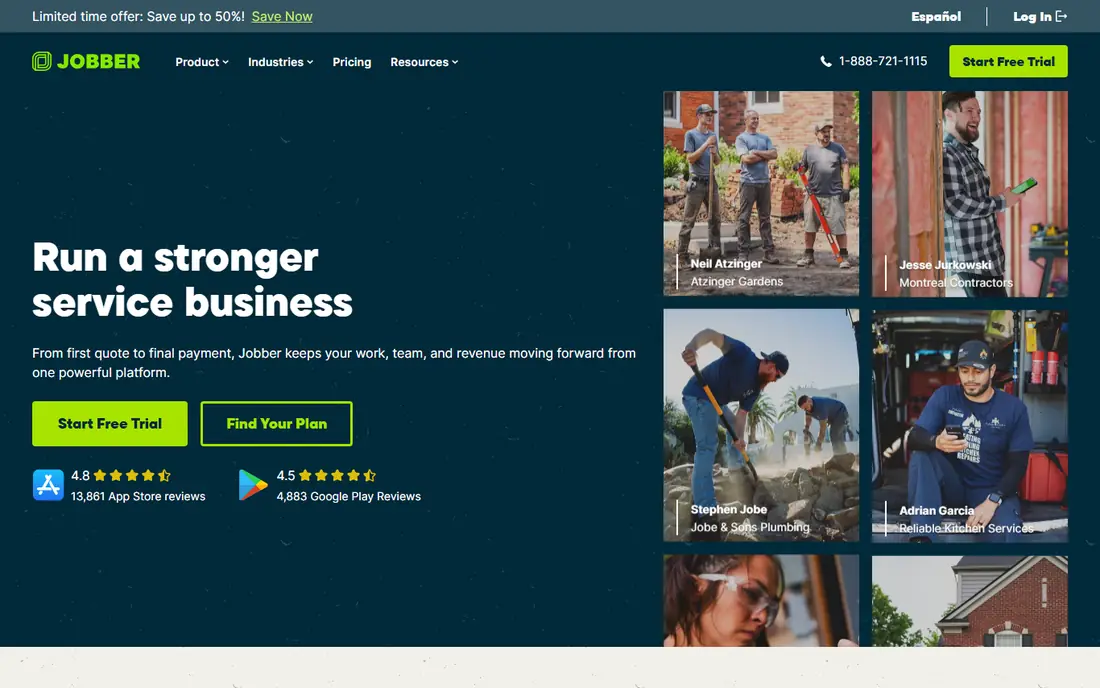
Jobber covers the daily work of a junk removal business in one app: quotes, scheduling, dispatch, invoicing, and a client hub where customers can approve quotes. Core starts at $29 per month billed annually for one user, or $49 per month on monthly billing, which makes it the lowest entry price in this guide.
Connect adds QuickBooks Online sync, GPS crew tracking, and automated follow-ups, while Grow adds job costing and two-way texting. Job costing shows whether a $300 garage cleanout actually made money after dump fees, fuel, and labor. The trade-off is that every added user costs about $29 per month, so a five-person crew pays far more than the headline price. Marketing Suite, AI Receptionist, and a sales pipeline are also sold as add-ons below Plus.
- Low starting price
- Clean quoting and scheduling in one app
- Core plan lacks QuickBooks Online sync and GPS tracking
- Each extra user costs $29 per month

Housecall Pro suits junk removal companies that win work online and by phone. Customers can book online, and the system handles estimates, scheduling, dispatch, invoicing, and review requests after the job. Basic costs $59 per month billed annually, or $79 per month on monthly billing, for one user, and it already includes job costing and a price book, which helps a crew quote volume-based loads with consistent rates.
Essentials, at $149 per month billed annually for five users, adds QuickBooks integration, GPS tracking, and checklists. Max, at $299 per month billed annually for eight users, adds a sales proposal tool and recurring service plans. The main weakness is price transparency: add-ons such as Voice, Campaigns, and the flat-rate price book are listed without prices, so the real total only appears after a sales conversation. A junk removal owner should get every add-on price in writing before committing.
- Online booking and review requests built in
- Job costing included on the Basic plan
- Popular add-ons show no published price
- Basic plan covers only one user

GorillaDesk prices by route, not by person, which fits how junk removal crews work. A route is one technician schedule, and a crew that rides together in one truck shares a single route. Basic starts at $49 per month for the first route, Pro at $99, and Growth at $149, with extra routes adding $50 each on the lower plans. Users are unlimited on every plan, so adding office staff does not raise the bill, and there are no setup fees or long-term contracts.
The feature set covers estimates, invoices, work orders, job mapping, routing, and automated emails and texts. Pro adds a customer portal, online booking, QuickBooks Online sync, and e-signatures, while Growth adds a sales pipeline and multi-branch tools. The limit for junk removal is focus: GorillaDesk was built around recurring routes for pest control, lawn care, and pool service, so volume-based quoting and disposal tracking are not built in. Texting also costs extra, at $5 per month for an SMS number plus message credits.
- Unlimited users on every plan
- Per-route pricing fits truck crews
- Built for pest, lawn, and pool routes, so junk-specific features are missing
- Texting costs extra
Kickserv is one of the cheapest field service tools that still covers the full job cycle: estimates, scheduling, invoicing, reminders, and time and expense tracking. Start costs $60 per month for 5 users, Run costs $119 per month for 10 users, and Scale costs $199 per month for 20 users, with a 20 percent discount for annual billing and a 30-day free trial. For a junk removal crew, that bundled user count is the real value, since most rivals charge per user.
QuickBooks Online sync is included from the first plan, which is unusual at this price, and the interface is simple enough for a crew leader to learn in a day. The trade-offs are depth and automation: Kickserv offers less workflow automation than newer tools, and dispatch mapping with GPS check-in only starts on the Run plan. QuickBooks Desktop sync is a $50 per month add-on on Run. Owners who want a simple, low-cost system will be happy, while owners who want deep automation should look at Jobber or Housecall Pro.
- Lowest cost with users included
- QuickBooks Online sync on the first plan
- Less automation than newer tools
- QuickBooks Desktop sync costs $50 per month extra on Run
RazorSync is a straightforward field service tool for scheduling, dispatch, invoicing, and customer records. Solo costs $85 per month billed annually, or $90 per month on monthly billing, for up to 2 users. Team costs $195 per month billed annually for up to 7 users, and Pro costs $439 per month billed annually for up to 15 users. That banded structure makes the monthly cost easy to predict.
The mobile app covers the field workflow: crew members see the day schedule, update job status, capture signatures, and invoice from the job site. RazorSync has no free plan, only a 14-day trial, and some features are sold as add-ons on the lower tiers. List prices also differ across sources, with one review site listing Team at $135 and Pro at $280 per month, so confirm the current rate on the vendor site before you buy. It fits a small crew that wants dispatch without a large platform.
- Simple scheduling and dispatch
- Clear user-count plan bands
- No free plan
- Some features are add-ons on lower tiers
- List prices differ across sources
Workiz is built for service businesses that live on the phone, which describes many junk removal companies. Its phone suite covers call tracking, recording, two-way texting, and an AI answering service that can book jobs when the office is busy. The base plans cover scheduling, dispatch, estimates, invoicing, and online booking, and a 7-day free trial is available with no card required.
Workiz shows request-pricing on its plans, and third-party figures conflict: some list Kickstart at $225 per month for 3 users on monthly billing, or $187 billed annually, while others list a lower entry figure. The phone system is also sold separately from all base plans, and the AI answering service adds roughly $200 per month. A junk removal owner should treat Workiz as a quote-only purchase and get the base plan, the phone system, and the answering service priced together in writing.
- Strong phone suite with call tracking and AI answering
- Built for high call volume
- No published price on its own site
- Phone system sold separately
- Ultimate plan is quote only
FieldPulse combines service scheduling with project management, which fits junk removal companies that also take on longer cleanout and demolition projects. The platform covers estimates, work orders, scheduling, invoicing, and a mobile app, with a price book that turns a walkthrough into a signed job. Its seat model splits full-access office seats from cheaper field-only seats, which can keep the bill lower than a flat per-user model.
FieldPulse does not publish pricing: its pricing page lists three tiers, Essentials, Professional, and Enterprise, behind request-pricing buttons, and third-party estimates put them around $65, $90, and $115 per user per month. GPS and fleet tracking is an add-on at about $30 per vehicle per month, and an onboarding fee of $500 to $5,000 has been reported. A junk removal owner should request a written quote for the exact seat mix before comparing FieldPulse with tools that publish prices.
- Strong estimate building and price book
- Field seats cost less than office seats
- No published pricing
- GPS fleet tracking is an add-on with a separate charge
- Onboarding fee reported
ServiceTitan is the enterprise option in this guide, built for large home service companies with many trucks and an office team. It covers dispatch, scheduling, call booking, estimates, invoicing, a price book, payroll, commission tracking, and memberships across three tiers: Starter, Essentials, and The Works. Add-ons such as Marketing Pro, Phones Pro, and Pricebook Pro extend it further, and the reporting depth helps a large fleet track revenue per truck and per crew.
The cost and commitment are the reason most small junk companies should skip it. ServiceTitan does not publish prices, and third-party reports put it around $245 to $500 per technician per month, plus an implementation fee reported from $5,000 to $50,000, on contracts of 12 to 36 months. The vendor itself has said the platform is not built for companies with three or fewer technicians. A business with ten or more trucks can justify a demo and a quote, while a one-truck or two-truck operation will get better value from Jobber, Housecall Pro, or Kickserv.
- Deep reporting and price book
- Membership and marketing tools built in
- No published pricing
- Long contracts
- Implementation fees reported from $5,000 to $50,000
How we chose
We compared each vendor pricing page, product documentation, and plan feature list, and we checked the figures again in November 2026. Tools made the list only if they cover the core junk removal workflow: quoting, scheduling, dispatch, invoicing, and a mobile app for the field. We ranked tools on starting price, whether the price is published, how the price scales as the crew grows, and how well the features fit volume-based junk jobs.
Prices in this guide are list prices from the vendor pricing pages, with the billing term stated each time. Where a vendor hides its price, we wrote quote only and gave the reported third-party range separately. We did not test the software hands-on, and we did not accept any vendor claim about customer counts or review scores. Confirm every price on the vendor site on the day you buy.
What to check before you buy
Start with the real monthly total, not the headline price. Per-user tools such as Jobber charge about $29 per month for each extra user, so a five-person crew costs far more than the $29 entry figure. Per-route tools such as GorillaDesk stay flat as you add office staff, while bundled plans such as Kickserv include five users in the $60 base price. Ask each vendor for the full first-year total, including add-ons, texting, card processing, and any onboarding fee, in writing.
Check how quotes work for junk jobs. You need volume-based pricing, photos of the load, and a way to adjust the price on site when the pile is bigger than the customer described. Check the mobile app offline behavior too, since crews often work in basements, garages, and rural properties with weak signal. Finally, read the contract term before you sign: month-to-month tools let you leave, while ServiceTitan contracts run 12 to 36 months.
| Team size | Best pick | Why | Monthly cost to expect | | Solo, 1 truck | Jobber Core | Lowest entry price, full quoting and invoicing | $29 billed annually, $49 monthly | | 2 to 3 trucks | Kickserv Start | 5 users included, QuickBooks sync from day one | $60 per month | | 3 to 5 trucks | Housecall Pro Essentials | Online booking plus GPS for 5 users | $149 billed annually, $189 monthly | | 5 to 10 trucks | GorillaDesk Pro | Per-route pricing, unlimited users | $99 per month for 1 route, plus $50 per extra route | | 10 or more trucks | ServiceTitan | Deep reporting and fleet tools | Quote only, reported $245 to $500 per technician per month |
Frequently asked questions
What is the cheapest junk removal software?
Jobber Core is the cheapest starting point at $29 per month billed annually for one user, or $49 per month on monthly billing. Kickserv is the cheapest option with users included, at $60 per month for 5 users. GorillaDesk starts at $49 per month for one route with unlimited users. Compare the total for your crew size, since per-user fees change the ranking fast.
Do I need software built only for junk removal?
No, and most junk removal companies use general field service software. Jobber, Housecall Pro, and Kickserv cover quoting, scheduling, dispatch, and invoicing well. What matters is volume-based quoting, photos of the load, and a mobile app the crew can use on site.
Can I take card payments in the field?
Yes, every tool in this guide supports online or mobile card processing, either built in or through a connected processor. Jobber lists card processing at 2.9 percent plus 30 cents per transaction, and Housecall Pro lists rates from 2.59 percent. Ask each vendor for its exact rate, since that fee applies to every job.
How much does software cost for a 3-truck crew?
A 3-truck crew with five users pays about $60 per month on Kickserv Start, $149 per month on Housecall Pro Essentials billed annually, or about $149 per month on GorillaDesk Basic for three routes. Add texting, card processing, and any phone system on top, and confirm the total in writing.
Is there a free plan for junk removal software?
None of the eight tools here offers a free plan, but seven offer a free trial. Jobber, Housecall Pro, GorillaDesk, RazorSync, and FieldPulse offer 14-day trials, Kickserv offers 30 days, and Workiz offers 7 days. ServiceTitan offers no free trial and sells through demos. Use the trial with five real jobs from last week to test the quoting and dispatch flow.
What should I check before signing a contract?
Check the contract length, the cancellation terms, and every add-on price. ServiceTitan contracts run 12 to 36 months with reported implementation fees from $5,000 to $50,000, while Jobber, Housecall Pro, GorillaDesk, and Kickserv are month-to-month. Ask for the full first-year total in writing, including texting, card processing, and onboarding.
Sources
See where you really rank - block by block
ProMapRanker scans Google Maps across a grid of your service area. Simple monthly plans from $19, white-label on every plan.
Start freeKeep reading
 best local marketing software for franchises
Best Local Marketing Software for Franchises
Compare the best local marketing software for franchises, with real 2026 prices, so every location can run reviews, listings, and ads that stay on brand.
Read → best local competitor analysis software
9 Best Local Competitor Analysis Software for 2026
Compare the best local competitor analysis software for local SEO, with real prices, rival rank tracking, review and citation gaps, and map pack checks.
Read → best link management platform for sms at scale
Best Link Management Platform for SMS at Scale
Compare the best link management platform for sms at scale, with branded short links, click tracking, APIs and bulk tools for high-volume text campaigns.
Read →