 ProMapRanker
Best Flight Booking App in 2026

Key takeaways
- Google Flights is our pick for research, thanks to its calendar view, price history, and fare tracking, even though it hands you off to airlines or agents to book.
- Skyscanner suits flexible travelers, Hopper suits people who want buy or wait advice, and Kayak suits complex trips with many filters.
- The cheapest fare is not always the best booking. Check baggage, change rules, and who handles refunds before you pay.
- For most trips, use two apps to find the fare, then book directly with the airline when the price is close.
Quick comparison
| Pick | Great for | Pricing starts at | Free tier | |
|---|---|---|---|---|
 Google Flights Google Flights | Fare research | Free | Yes | Visit |
 Skyscanner Skyscanner | Flexible dates | Free | Yes | Visit |
 Hopper Hopper | Price predictions | Free | Yes | Visit |
 Kayak Kayak | Complex itineraries | Free | Yes | Visit |
 Momondo Momondo | Low fares from many agents | Free | Yes | Visit |
 Expedia Expedia | Flight plus hotel bundles | Free | Yes | Visit |
 Kiwi.com Kiwi.com | Unusual route combinations | Free | Yes | Visit |
 Trip.com Trip.com | Support and bundles | Free | Yes | Visit |
The best flight booking apps
Flight apps differ in one key way: some search widely, some predict prices, and some sell the ticket. Knowing which job each app does best saves money and avoids support headaches later.
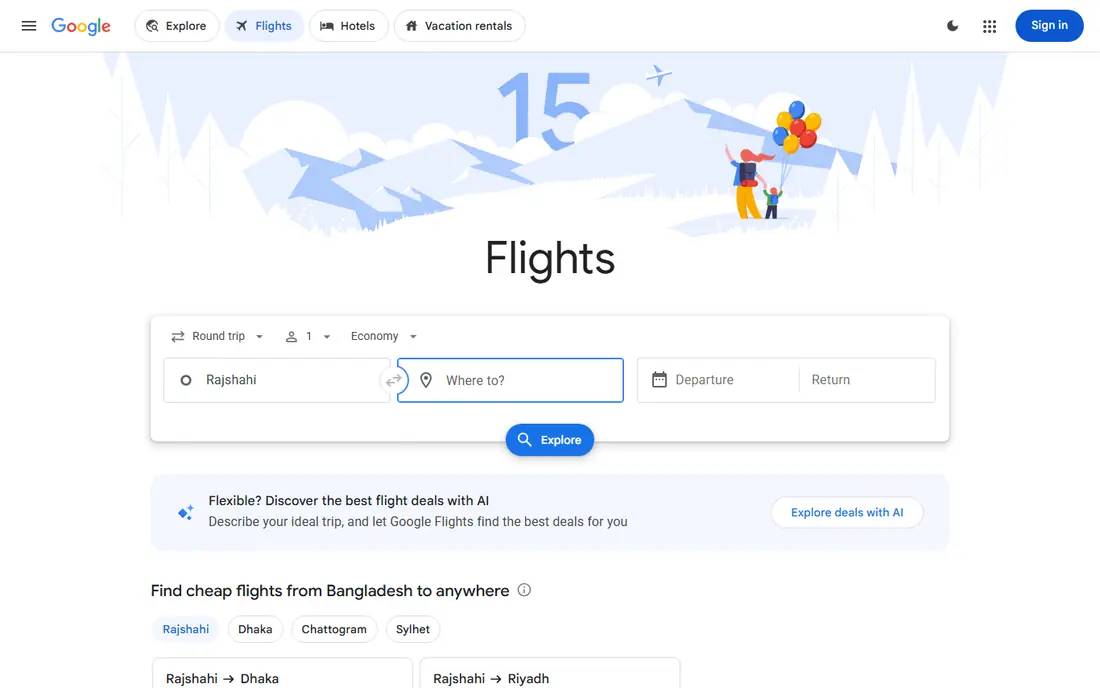
Google Flights is the strongest starting point for most searches. The calendar shows cheap days at a glance, price tracking alerts you to changes, and filters for stops, times, and airlines are quick to use. It also shows whether a fare looks low, typical, or high compared with recent prices for that route.
The limit is that Google Flights is a search tool, not a seller. You still book with an airline or an agent, and that seller handles changes and refunds. Use Google Flights to find the right flight and timing, then compare the airline direct price before you pay elsewhere.
- Clear calendar pricing
- Price history and tracking
- Fast date and airport comparison
- No native mobile app
- You book elsewhere, so support depends on the seller
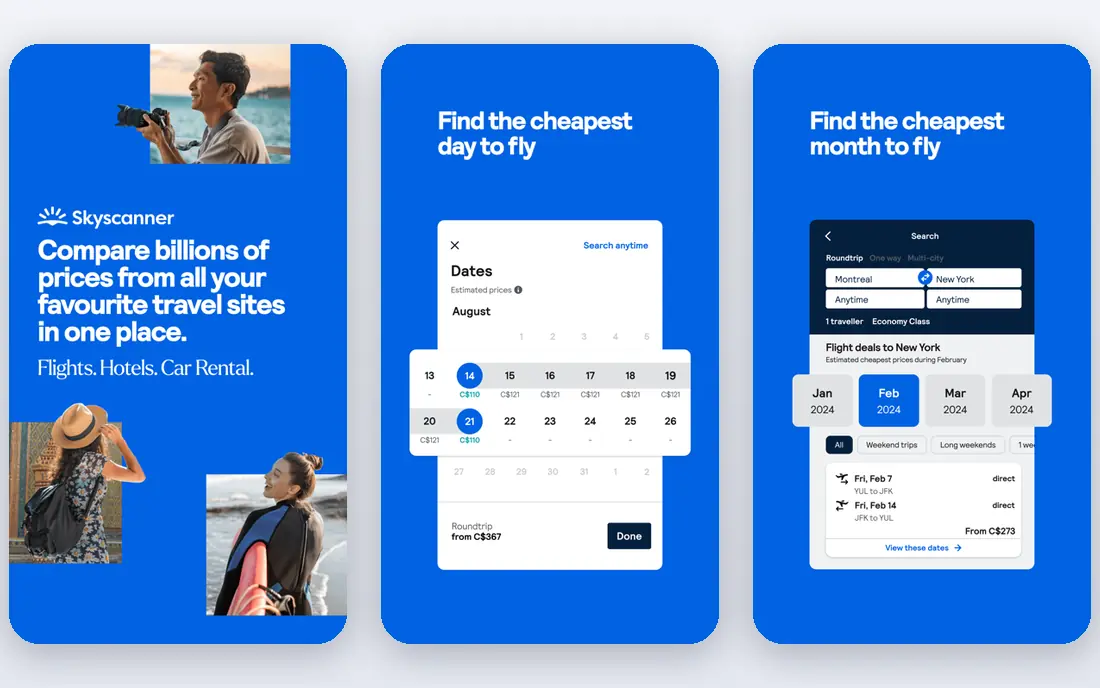
Skyscanner shines when your dates or destination are flexible. The Everywhere search finds cheap places from your home airport, and the whole month view makes it easy to shift a trip by a few days. It also covers many budget airlines that do not always appear in other searches.
As with other comparison apps, the seller behind a low fare matters. Check baggage, seat selection, and change fees on the seller page, since a headline fare can grow quickly. Skyscanner works best as a discovery tool paired with a direct airline check.
- Everywhere search
- Whole month pricing
- Wide airline and agent coverage
- Final price can differ by seller
- Support varies by booking partner
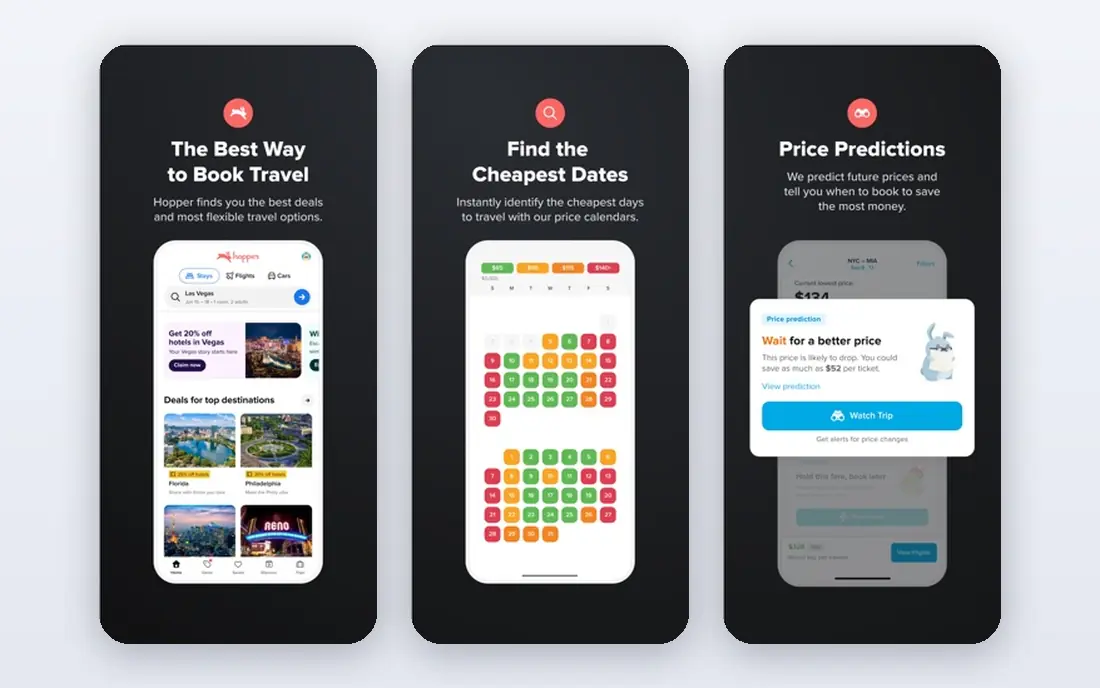
Hopper focuses on timing. It watches fares and tells you whether to book now or wait, with color coded calendars and alerts when a route drops. Fare freeze, where offered, lets you hold a price while you decide, which helps on trips with uncertain plans.
Predictions are estimates based on past patterns, not promises about your exact flight. A schedule change or a sudden demand spike can break a forecast. Use Hopper for timing advice, then weigh whether booking direct gives you simpler support if plans change.
- Buy or wait advice
- Price alerts
- Fare freeze options on some routes
- Predictions are not guarantees
- Booking through Hopper adds a middleman
Kayak is a good pick for travelers who like control. Filters cover cabin, stops, times, airports, and baggage, and multi city searches handle open jaw trips without fuss. Price alerts and trip tools help you manage a booking after you find it.
Watch Hacker Fares, which combine separate one way tickets from different sellers to lower the total. That can save money, but a missed connection on separate tickets is your problem, not the airline's. Read the ticket terms before choosing a mixed fare.
- Strong filters
- Multi city search
- Trip management and price alerts
- Hacker fares mix separate tickets, which adds missed connection risk
Momondo often surfaces fares that larger sites miss because it searches a wide set of online travel agents. Price graphs help you see cheap days, and the search covers flights, hotels, and cars in one place. For international routes, that breadth can pay off.
The trade off is seller quality. A very low fare from an unfamiliar agent can carry service fees, slow support, or strict change rules. Compare the total at checkout, including baggage, and check agent reviews before paying for a fare that looks too good.
- Searches many smaller agents
- Clear price graphs
- Flexible date tools
- Some low fares come from lesser known sellers
- Fees can appear at checkout
Expedia earns its place when you book a whole trip, not just a flight. Bundling a flight with a hotel can lower the total, and the rewards program adds value for repeat travelers. Customer support is also easier to reach than with some small agents.
For flight only bookings, Expedia is rarely the cheapest option on a route. Package terms also need care: changing one part of a bundle can affect the rest. Use Expedia when the bundle math wins, and use a comparison app when you only need a seat.
- Bundles can cut total trip cost
- Rewards program
- Broad hotel coverage
- Flight only fares are rarely cheapest
- Package change rules can be complex
Kiwi.com finds routes that other apps miss by combining airlines that do not normally partner. That virtual interlining can cut the price sharply on multi leg trips, especially across budget carriers. The search also handles flexible dates and nearby airports well.
Self transfer trips mean you collect bags and recheck for the next leg, and a delay on the first leg can leave you buying a new ticket. Kiwi offers some protection options, but they vary by booking. Use Kiwi for creative routes, and only when you understand the transfer risk.
- Virtual interlining finds cheap combos
- Flexible search
- Disruption help on some bookings
- Self transfer routes carry real risk
- Fees and support terms need close reading
Trip.com combines flight search with hotel booking and round the clock support, which appeals to travelers who want help in a different time zone. Coverage is broad, including many Asian carriers and routes that US focused apps handle less well. Bundles and app deals can also lower the total.
Check the final price carefully, since service fees and fare rules vary by route and seller. As with other agents, booking direct with the airline may still be simpler for changes. Trip.com fits travelers who value support access and bundle options over squeezing out the last dollar.
- 24 hour support claims
- Flight and hotel bundles
- Broad global coverage
- Prices can include service fees
- Cheapest fare may use a partner seller
How we picked these
We compared official feature pages, app store listings, pricing and fee pages, and public reviews for flight search and booking apps available in the US in October 2026. We favored apps with wide airline coverage, clear price tools, and a current app or site. We left out apps that had closed, apps that only track flights without booking or search, and hidden city tools that depend on breaking airline terms.
How to book without regret
Start with research, then decide where to buy. Search on Google Flights and one comparison app, set price alerts, and check the calendar for cheaper nearby days. That pair usually finds the best fare without endless searching.
Check the total, not the headline
Add baggage, seat selection, and payment fees before comparing fares. A low base fare with a checked bag and a seat fee can cost more than a slightly higher fare that includes both. Also check change and cancellation rules, especially for basic economy tickets.
Book direct when the gap is small
When the airline price is within a few dollars of an agent price, booking direct usually gives simpler changes, faster refunds, and clearer support during disruption. Use an agent when the saving is large, the bundle is strong, or you need support that the airline does not offer.
A final check before you pay
Re-read the fare rules for your chosen ticket, confirm the baggage allowance for every leg, and save a screenshot of the total price and the seller name. If a connection is tight, check the minimum connection time at that airport and consider a longer layover. Those five minutes of checking often save hours of stress later.
Frequently asked questions
What is the best app for booking flights?
Google Flights is best for research, while Skyscanner and Kayak are strong for comparison. The best booking route depends on price: use the apps to find the fare, then book direct with the airline when the price is close.
What are the best apps for cheap flights?
Skyscanner, Momondo, Kayak, and Hopper are strong for cheap fares, each in a different way. Skyscanner and Momondo search widely, Kayak filters complex trips, and Hopper advises on timing. Compare at least two before you pay.
What is the best app for finding cheap flights early?
Set price alerts on Google Flights, Skyscanner, or Hopper weeks before you plan to travel. Alerts catch drops that a single search misses, and flexible date views show whether shifting by a day or two lowers the fare.
Is it better to book flights in an app or direct with the airline?
Booking direct usually gives simpler changes and refunds during disruption. Booking through an app or agent can save money or add bundle value, but support then runs through that seller, so read its terms first.
Does Hopper really predict flight prices well?
Hopper predictions reflect past fare patterns and are useful as guidance, not guarantees. Use them to time a purchase, but do not treat a prediction as a promise, and check the current fare before you book.
Sources
See where you really rank - block by block
ProMapRanker scans Google Maps across a grid of your service area. Simple monthly plans from $19, white-label on every plan.
Start freeKeep reading
 zeffy payment processor stripe alternatives
Zeffy and Stripe Alternatives for Nonprofits in 2026
Explore zeffy payment processor stripe alternatives for nonprofits. We compare 8 fundraising platforms on fees, donor tools, and nonprofit focus. Check fees.
Read → workday alternatives
Workday Alternatives in 2026
Workday alternatives compared: we review 8 HR and payroll platforms that replace Workday, with pricing, strengths and honest limits for each team size.
Read → what's the best weather app
What's the Best Weather App in 2026
Wondering what's the best weather app? We compare 10 free and paid apps for forecasts, radar, alerts, and Colorado mountain weather for everyday and storm use.
Read →