 ProMapRanker
Best Digital Access Management Software


Large teams that want deep SSO coverage · Pricing starts at: $6 per user/month (billed annually)
Key takeaways
- Okta Starter at $6 per user per month is the cheapest entry point among full workforce suites, but the $1,500 annual minimum sets a floor for small teams.
- Microsoft Entra ID P1 at $7 per user per month is often already included in Microsoft 365 E3 or Business Premium, so check your current licenses first.
- Auth0 has the most generous free tier in this list, covering 25,000 monthly active users at no cost, though MFA needs the $35 per month Essentials tier.
- Ping Identity lists the lowest headline rate at $3 per user per month, yet its 5,000-user minimum floors the annual contract near $180,000.
- CyberArk hides its prices behind sales quotes, so budget extra time for procurement if privileged access is part of the plan.
Quick comparison
| Pick | Great for | Pricing starts at | Free tier | |
|---|---|---|---|---|
| Okta | Large teams that want deep SSO coverage | $6 per user/month (billed annually) | Free trial (30 days) | Visit |
 Microsoft Entra ID | Microsoft 365 shops that want identity built in | $7 per user/month (P1, billed annually) | Yes | Visit |
 JumpCloud | Small IT teams replacing on-prem Active Directory | $11 per user/month (SSO, billed annually) | Free trial (30 days) | Visit |
 Auth0 | Product teams adding login to customer apps | $35 per month (Essentials, B2C, 500 MAU) | Yes | Visit |
 OneLogin | Mid-market teams that want simple per-user pricing | $3 per user/month (Basic) | Free trial | Visit |
 Ping Identity | Large enterprises with hybrid and federated estates | $3 per user/month (PingOne for Workforce Essential) | Free trial | Visit |
 CyberArk Identity | Companies pairing workforce access with privileged access | quote only | Free trial | Visit |
 ManageEngine ADManager Plus | Windows shops managing Active Directory on a budget | $595 per year (Standard, per domain) | Yes | Visit |
The best digital access management software
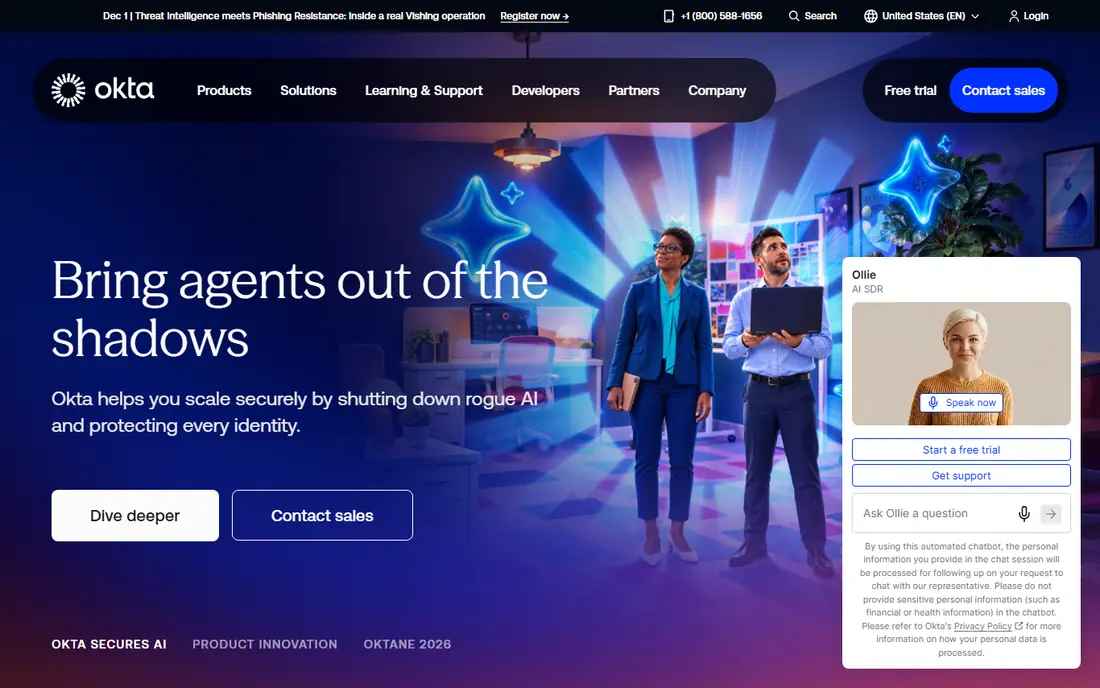
Okta is the identity provider most large companies compare everything else against. Its Workforce Identity suites cover single sign-on across more than 7,000 prebuilt app integrations, adaptive multi-factor authentication that responds to sign-in risk, and lifecycle management that provisions and deprovisions accounts as people join, move, or leave. Universal Directory keeps one source of truth for user profiles, and Workflows automates routine identity tasks without custom code.
The entry Starter suite lists at $6 per user per month when billed annually, and it includes SSO, MFA, Universal Directory, and five Workflows. Core Essentials at $14 adds lifecycle management and identity governance, while Essentials at $17 adds adaptive MFA and privileged access. Every Workforce Identity contract carries a $1,500 annual minimum, so very small teams pay more per head than the headline rate suggests. Okta suits companies that want depth and are ready to pay for it.
- More than 7,000 prebuilt app integrations
- Adaptive MFA and lifecycle automation included in higher suites
- $1,500 annual minimum prices out small teams
- Add-ons push the real cost well above the entry rate
Microsoft Entra ID is the natural identity layer for any company already running Microsoft 365. The free tier covers directory services, single sign-on, and basic MFA, and it ships with most Microsoft cloud subscriptions. P1 adds Conditional Access, dynamic groups, self-service password reset with writeback, and hybrid identity through Entra Connect, which links on-premises Active Directory to the cloud.
P1 lists at $7 per user per month and P2 at $10, both billed annually, and both are included in Microsoft 365 E3 and E5 respectively, so many buyers already own the license. P2 adds Identity Protection with risk-based Conditional Access and Privileged Identity Management for just-in-time admin access. The main catch is that the features most security teams want sit in P2, and the admin portal rewards study before it feels simple.
- P1 included in Microsoft 365 E3 and Business Premium
- Conditional Access controls sign-ins by risk and location
- Key protections such as Identity Protection sit behind the $10 P2 tier
- Admin console takes time to learn
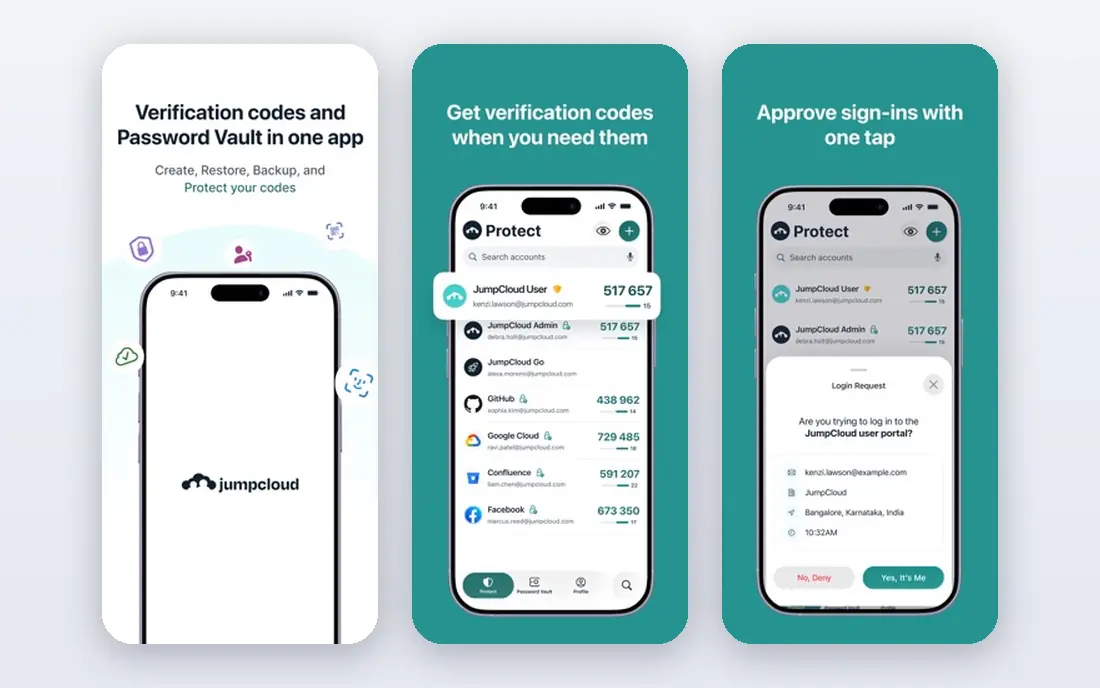
JumpCloud replaces on-premises Active Directory with a cloud directory that manages users, devices, and app access from one console. It covers Windows, macOS, and Linux devices, plus iOS and Android, and it handles SSO, MFA, and patch management without servers in a closet. Small IT teams like it because one admin can run identity and device management together, and the per-user model is easy to forecast.
Pricing is split by product: Device Management lists at $9 per user per month, SSO at $11, and Device Identity Management at $13, all billed annually. Buying SSO and device management together costs $20 per user per month. New accounts start with a 30-day trial, and free use for up to 10 users and 10 devices now applies only to accounts created before 1 February 2024. The split pricing is the thing to watch, since the full stack costs nearly double the SSO rate alone.
- One console for directory, SSO, MFA, and devices
- Supports Windows, macOS, and Linux without on-prem servers
- Free use now limited to accounts created before 1 February 2024
- Device management and SSO are separate charges that add up
Auth0, owned by Okta, is the customer identity platform for product teams that need login in their own apps. It offers hosted login pages, passwordless sign-in, social connections, and enterprise connections, plus organizations for B2B customers and actions that run custom code inside the login flow. Developers get quickstarts for most stacks, and the free tier is generous enough to carry a product through its early growth.
The free plan covers up to 25,000 monthly active users with no card required, which is the most generous free tier in this list. Essentials starts at $35 per month for B2C apps at 500 monthly active users, and Professional starts at $240 per month at the same user count. MFA and role-based access control start on Essentials, not on the free plan, so products that need a second factor pay from the start. Pricing is per monthly active user, so growth in logins moves the bill directly.
- Free tier covers up to 25,000 monthly active users
- Passwordless login and social connections included
- MFA and role controls need the Essentials tier
- Per-user pricing climbs fast as MAU grows
OneLogin is a cloud identity platform aimed at mid-market companies that want SSO, MFA, and lifecycle management without enterprise pricing. Its catalog holds more than 6,000 app connectors, and SmartFactor adds risk-based authentication on higher tiers. HR-driven provisioning ties access to the HR system, so joiners get accounts on day one and leavers lose access the same day they leave.
Published list pricing starts at $3 per user per month for the Basic tier, with Essentials at $6 and Business at $10, and the top Enterprise tier is sold by quote. Advanced directory integration and MFA arrive on the higher tiers, so the entry price covers SSO more than full lifecycle control. OneLogin fits teams of 200 to 5,000 people that want predictable per-user pricing and a fast rollout, and it offers a free trial for evaluation.
- Catalog of more than 6,000 app connectors
- HR-driven provisioning automates joiner and leaver access
- Advanced features such as SmartFactor sit on higher tiers
- Support quality varies by plan
Ping Identity serves large enterprises that run a mix of cloud and on-premises systems. PingOne for Workforce provides SSO, MFA, and a directory in the cloud, while PingFederate and PingAccess cover self-hosted federation and access control for regulated industries. DaVinci adds no-code orchestration of login journeys, so teams can build step-up authentication and passwordless flows without writing code.
PingOne for Workforce Essential lists at $3 per user per month and Plus at $6, both billed annually, but both carry a 5,000-user annual minimum that floors the contract near $180,000 a year. That makes Ping a poor fit below enterprise scale, even though the headline rate looks low. Customer identity starts near $35,000 a year for Essential. Ping suits large estates with complex federation needs and staff who can run it.
- Strong federation and DaVinci login orchestration
- PingFederate covers self-hosted deployments
- 5,000-user annual minimum floors the contract near $180,000 a year
- Setup needs skilled staff
CyberArk Identity
Great for: Companies pairing workforce access with privileged access
CyberArk built its name on privileged access management, protecting admin and service accounts, and its Workforce Identity line extends that strength into everyday employee access. It covers SSO, adaptive MFA, and lifecycle management, and it adds identity threat detection that watches for compromised credentials. Companies that already trust CyberArk for vaulting often add workforce identity to keep privileged and standard access under one vendor.
CyberArk does not publish list prices for Workforce Identity, so every deal goes through sales and the final figure depends on modules, volume, and term. Third-party transaction data puts Workforce Identity near $5 to $11 per user per month, but that range is a guide, not a quote. CyberArk was acquired by Palo Alto Networks, which completed the deal in February 2026, so buyers should confirm the current product name and roadmap before signing. A free trial is available for evaluation.
- Privileged access heritage strengthens admin account protection
- Modular SSO, adaptive MFA, and lifecycle options
- No published list price, so every deal needs a sales quote
- Now sold inside Palo Alto Networks, which changes the buying path
ManageEngine ADManager Plus
Great for: Windows shops managing Active Directory on a budget
ManageEngine ADManager Plus is the budget pick for Windows shops that still run Active Directory. It manages users, groups, and computers across Active Directory, Microsoft 365, and Google Workspace, with bulk user creation, password management, and more than 200 reports. Helpdesk staff can reset passwords and reopen locked accounts through a delegated console, which cuts tickets for the core IT team.
Pricing is per domain, not per user, which is rare in this list. The Standard edition lists at $595 per year for one domain and two technicians, and Professional at $795 per year adds automation, advanced workflows, and compliance reporting. A free edition covers up to 100 domain objects. The trade is scope: it manages directories well, but cloud-only teams that never touch Active Directory will find less to use.
- Flat per-domain pricing instead of per-user billing
- Free edition covers up to 100 domain objects
- Built for Active Directory, so cloud-only teams get less value
- Interface feels dated next to cloud-native rivals
How we chose
We compared vendor pricing pages and product documentation read in November 2026, and we checked each homepage to confirm the product is current. We scored each tool on SSO coverage, MFA depth, lifecycle automation, directory support, and price transparency. We did not run hands-on tests or install any product, so ease-of-use notes come from vendor documentation and public feature lists, not from our own trials.
What to check before you buy
Check first whether your current licenses already include identity. Microsoft 365 E3 and Business Premium include Entra ID P1, and E5 includes P2, so many teams own a full identity platform without knowing it. Count every account that needs a license, including service accounts and contractors, because per-user pricing follows headcount exactly. Test MFA enrollment on real phones before rollout, since a clumsy second factor drives helpdesk tickets. Confirm SCIM provisioning covers the apps you use most, and ask the vendor in writing how renewal prices move after year one.
Use this decision table to match a tool to your team size. The monthly costs below use list prices from the vendor pages we read in November 2026.
| Team size | Best pick | Why | Example monthly cost | | Under 25 users | Auth0 free tier or Entra ID Free | No license cost while you validate | 20 users: $0 | | 25 to 100 users | OneLogin Basic | Lowest per-user rate with SSO included | 50 users: $150 | | 100 to 500 users | Entra ID P1 | Often bundled; Conditional Access included | 250 users: $1,750 | | 500 to 5,000 users | Okta Core Essentials or Entra ID P2 | Lifecycle and risk controls matter at this size | 1,000 users: $14,000 or $10,000 | | Over 5,000 users | Ping Identity Plus | Federation depth; the user minimum stops mattering | 5,000 users: $30,000 |
Frequently asked questions
What is digital access management software?
Digital access management software controls who can sign in to company apps and what they can reach once inside. It covers single sign-on, multi-factor authentication, user provisioning, and access reviews from one console. Most teams buy it to cut password resets, close off accounts fast when people leave, and prove to auditors that only the right people hold access.
How much does access management software cost per user?
Entry prices in this list run from $3 to $11 per user per month for workforce tools, with Okta Starter at $6, Entra ID P1 at $7, and JumpCloud SSO at $11. Full suites with lifecycle management and adaptive MFA run $10 to $17 per user per month. Customer identity tools such as Auth0 bill per monthly active user instead, starting at $35 per month.
Is Microsoft Entra ID enough, or do I need Okta?
Entra ID is enough for most Microsoft 365 shops, since P1 covers Conditional Access and P2 adds risk-based protection and privileged identity management. Okta fits better when you run many non-Microsoft apps, need deep lifecycle automation, or want an identity layer that is independent of one cloud vendor. Check your current Microsoft licenses first, since P1 and P2 are often already included.
What is the difference between SSO and MFA?
Single sign-on lets a user sign in once and reach many apps without retyping credentials, which cuts password fatigue and login tickets. Multi-factor authentication adds a second check, such as a phone prompt or hardware key, after the password. SSO improves convenience, MFA improves security, and most teams need both: SSO without MFA still leaves accounts exposed to stolen passwords.
Can small teams use these tools, or are they only for enterprises?
Small teams can use them, but the entry terms matter. Auth0 and Entra ID both have free tiers, and OneLogin Basic at $3 per user per month fits small budgets. Okta has a $1,500 annual minimum, and Ping Identity needs 5,000 users, so those two suit larger companies. Start on a free tier or trial, then move to a plan once headcount and app count grow.
Sources
See where you really rank - block by block
ProMapRanker scans Google Maps across a grid of your service area. Simple monthly plans from $19, white-label on every plan.
Start freeKeep reading
 best drywall contractor software
Best Drywall Contractor Software for Bidding
Compare the best drywall contractor software for estimating, scheduling and installs. Real prices, free trials and picks for growing drywall crews in 2026.
Read → best donor management software for nonprofits
Best Donor Management Software for Nonprofits
Compare the best donor management software for nonprofits, with real 2026 prices, retention tools, and free options, so every gift counts for good today.
Read → best donation software for churches
Best Donation Software for Churches
Compare the best donation software for churches, with real 2026 prices and card fees, so your congregation can give online, by text, or in person with ease.
Read →