 ProMapRanker
Best Day Planner App in 2026: 8 Apps Compared

Key takeaways
- Todoist is the best all round planner for fast task capture and reliable reminders.
- TickTick gives the most features free, including tasks, calendar, habits, and a timer.
- Sunsama and Motion suit people whose problem is planning the day, not just listing tasks.
- Google Calendar is the best free option when events and shared scheduling matter most.
- A planner only works if you open it daily, so pick the simplest tool you will actually use.
Quick comparison
| Pick | Great for | Pricing starts at | Free tier | |
|---|---|---|---|---|
 Todoist Todoist | Fast task capture and priorities | Free | Yes | Visit |
 TickTick TickTick | Most features in a free plan | Free | Yes | Visit |
 Sunsama Sunsama | Guided daily planning ritual | See website | Free trial | Visit |
 Motion Motion | Automatic scheduling of tasks | See website | Free trial | Visit |
 Any.do Any.do | Simple lists and daily focus | Free | Yes | Visit |
 Google Calendar Google Calendar | Shared events and scheduling | Free | Yes | Visit |
 Notion Notion | Building a custom planner system | Free | Yes | Visit |
 Structured Structured | Visual timeline for the day | Free | Yes | Visit |
The best day planner apps
We compared task capture, calendar views, reminders, and free limits to find planners that help you plan a day, not just store a list.
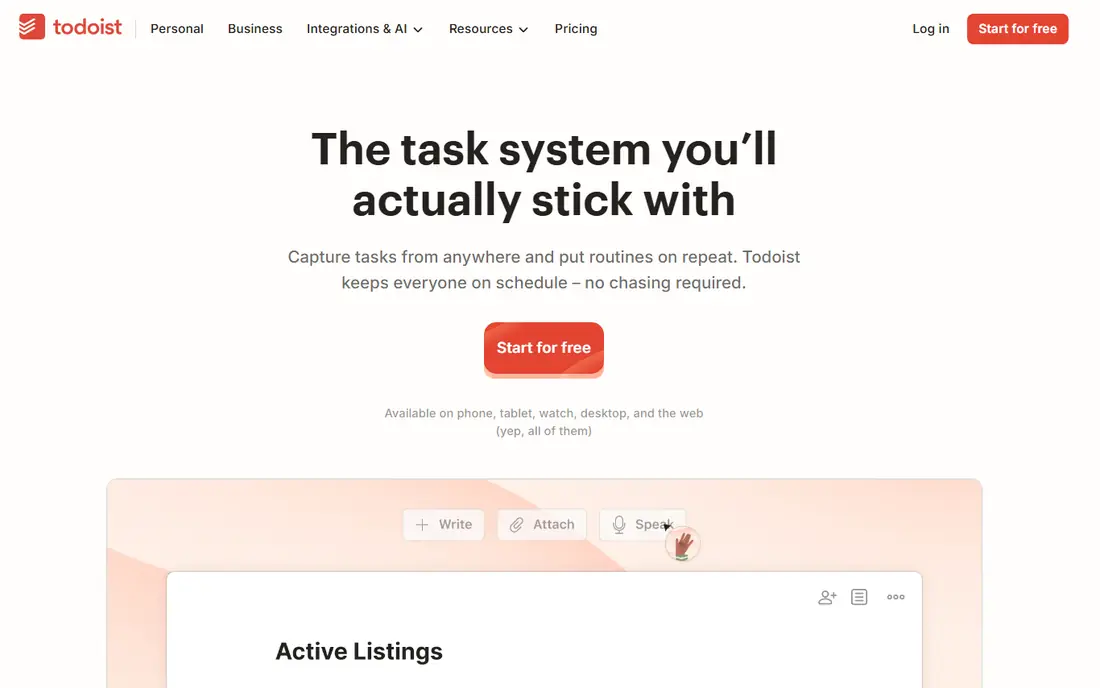
Todoist wins on capture speed, and capture speed is what keeps a planner alive. You type a task in plain language with a date and priority, and Todoist sets it up without a date picker or a form. That matters on a busy day, when a slow app means tasks stay in your head instead of on your list. Projects, labels, and filters then let you build views for work, home, or a single focus area. The free plan covers a starter system well, with a limit on active projects and filters that most casual users will not hit at first. Power users who need reminders, larger file uploads, and unlimited projects will need the paid plan. If your main problem is forgetting tasks, Todoist is the safest first pick. If your main problem is fitting tasks into a calendar, read on to Sunsama and Motion.
- Very fast natural language task entry
- Works on nearly every device
- Strong filters, projects, and integrations
- Free plan limits projects, filters, and reminders
- Calendar planning is weaker than dedicated day planners
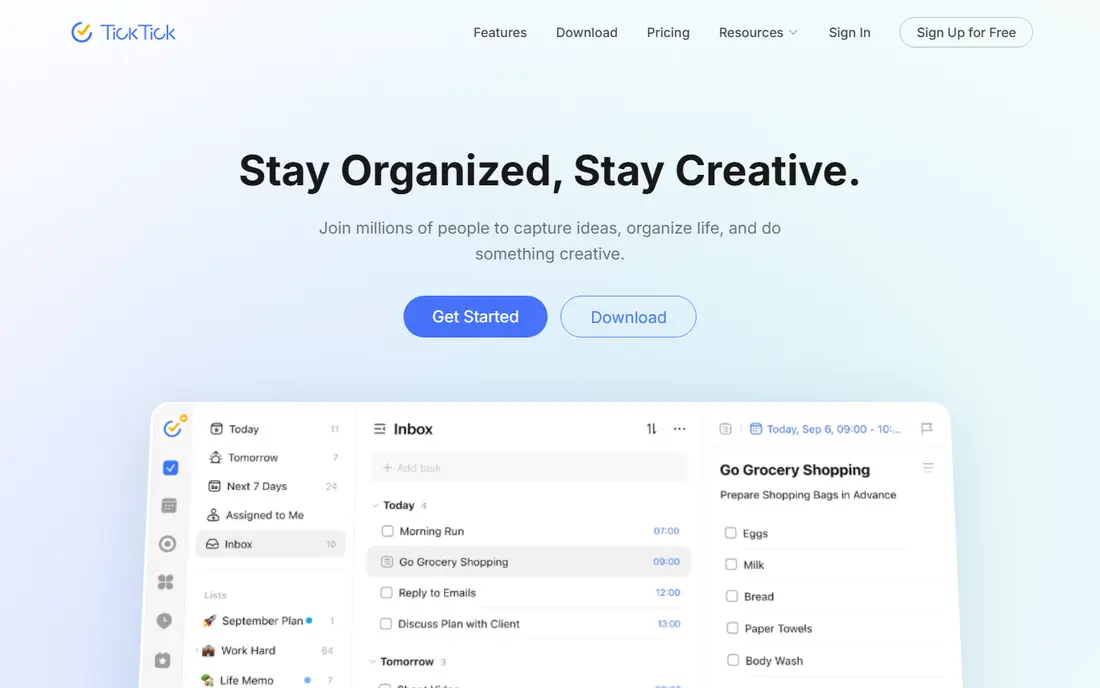
TickTick is the best value pick in this list because it bundles so much into one free app. You get tasks, a calendar view, habit tracking, and a built in timer for focused work, without paying for four separate tools. That bundle suits students, freelancers, and anyone who wants one app for the whole day rather than a stack of single purpose tools. The bundle also creates clutter. New users can feel overwhelmed by habits, timers, lists, and calendar views competing for attention, and it takes a week to learn which parts you actually need. Hide the features you do not use, and let the calendar view become your daily home screen. If you want the most planner for no money, TickTick is hard to beat.
- Tasks, calendar, habits, and timer in one app
- Generous free tier
- Works across web, desktop, and mobile
- Interface can feel busy with so many features
- Some advanced views need the premium plan
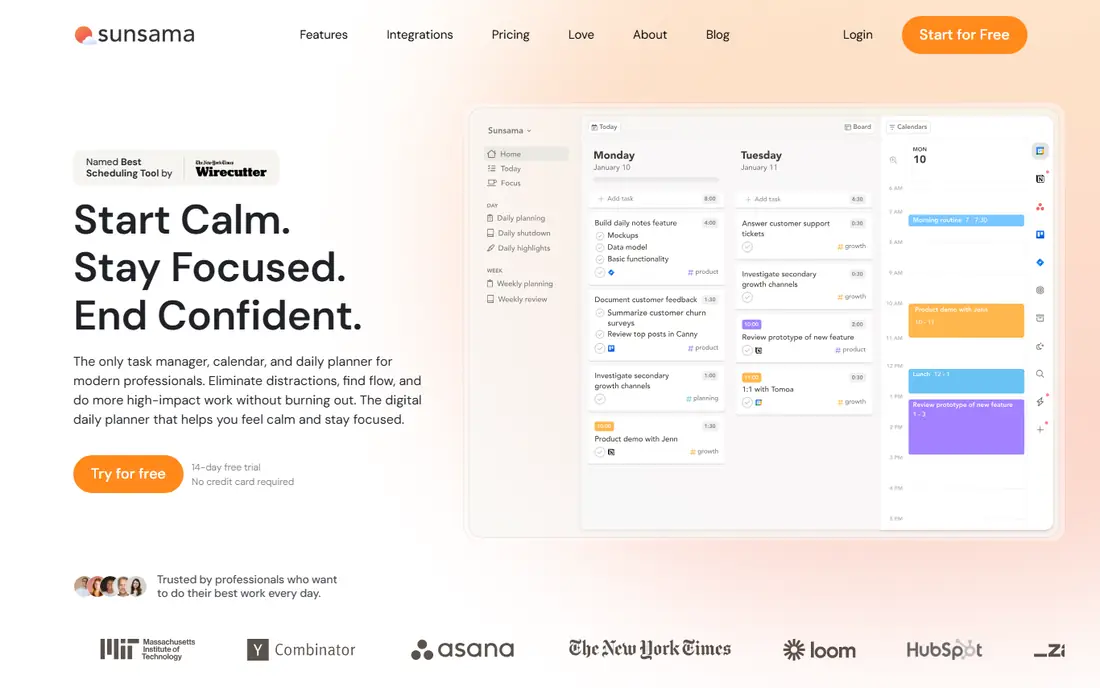
Sunsama is not a task list with a calendar attached. It is a daily ritual that asks you to pull tasks into today, estimate how long they take, and place them beside your calendar events. That ritual helps people whose lists grow forever while their days fill with meetings and urgent work. By the end of the planning step, you have a day you can actually finish, not a list that guilt trips you at night. The cost is the main barrier. Sunsama has no free plan, only a trial, and its monthly price is well above Todoist or TickTick. It is worth paying only if planning, not capturing, is your bottleneck, and if you will do the ritual most mornings. Try the trial for a full work week, including a busy day, before deciding, since the value shows up on hard days rather than easy ones.
- Guided morning planning helps you choose a realistic day
- Tasks and calendar in one daily view
- Work life limits and shutdown ritual
- No free plan, only a trial
- Higher monthly cost than task managers
- Less useful if you dislike a daily ritual
Motion takes a different approach from Sunsama. Instead of asking you to plan each morning, it schedules tasks automatically around your calendar, deadlines, and priorities, and it re-plans when a meeting moves or a task runs long. That automation suits people with packed calendars, many deadlines, and little time for manual planning each day. Automation only works with good inputs. If your task durations are guesses, Motion will build a neat schedule around bad estimates, and you will still fall behind. Spend time setting realistic durations and priorities in the first week, and check the auto schedule each morning rather than trusting it blindly. For a calendar that changes hourly, Motion can save more planning time than any manual planner here.
- Automatically schedules tasks around meetings and deadlines
- Re-plans when meetings move
- Useful for busy calendars
- No free plan, only a trial
- Auto scheduling needs accurate task durations
- Higher cost than simple planners
Any.do is the pick for people who find Todoist and TickTick too busy. The interface is clean, lists are easy to build, and a daily focus view helps you choose a small set of tasks for today rather than staring at everything at once. Calendar integration and reminders cover the basics well, and the app works across phone, web, and desktop. The simplicity means fewer power tools. Advanced filters, complex projects, and deep integrations are thinner here than in Todoist, and some features sit behind a premium plan. That trade is worth it if you have abandoned planners because they felt like work. Start with Any.do free, and move to a power planner only when you can name a specific feature you miss.
- Clean and simple interface
- Daily focus view helps you pick today tasks
- Calendar and reminders included
- Fewer power features than Todoist or TickTick
- Some useful features need a premium plan
Google Calendar is the best day planner when your day is mostly events, meetings, and shared schedules. It is free, nearly everyone you work with already uses it or can accept its invites, and scheduling, reminders, and shared calendars work with little setup. For families, teams, and anyone coordinating with others, that shared base matters more than fancy task features. As a task planner alone, Google Calendar is thin. Tasks live in Google Tasks, which is simpler than Todoist or TickTick, and time blocking a full workday takes manual effort. Use Google Calendar as the calendar layer, and pair it with a task app if your work is task heavy. For event heavy days, it remains the simplest and most reliable free choice.
- Free and widely used for shared scheduling
- Strong event, reminder, and invite tools
- Integrates with Gmail and Google Tasks
- Weak as a standalone task manager
- Planning a full workday needs Google Tasks or another app beside it
Notion is the pick for people who want one system for notes, projects, docs, and planning, and who enjoy building that system. Templates and databases let you create a planner that matches your exact workflow, from a weekly review page to a project tracker linked to meeting notes. The free individual plan covers a lot, which makes it a low risk place to experiment. The freedom is also the work. Notion does not give you a ready made daily planner out of the box, and fast capture and reminders are weaker than in Todoist or TickTick. Many users pair Notion for the system with a task app for the daily list, which is a sensible setup. Choose Notion alone only if you enjoy setting up workflows and will maintain the system after the first month.
- Free individual workspace
- Flexible pages, databases, and templates for a custom planner
- Good for notes, projects, and docs together
- You must build the planner yourself
- Weaker than dedicated apps for fast capture and reminders
Structured turns your day into a timeline, and that visual view helps people who struggle with plain lists. You see gaps, overlaps, and busy stretches at a glance, which makes it easier to place a workout, a focus block, or a break where it fits. Task entry is simple, and the timeline format suits routines, school days, and anyone learning time blocking for the first time. For large projects, Structured is less capable than Todoist, TickTick, or Notion. It is a day planner first, not a project manager, and team features are thin. Use it when the problem is seeing the day clearly, not managing dozens of projects. Its free tier is a good way to test whether a timeline view changes how you plan, before paying for Pro features.
- Visual timeline makes the day easy to grasp
- Simple task entry with times
- Good for routines and time blocking beginners
- Less powerful for large projects and team work
- Some features need the Pro upgrade
How we picked these
We compared official feature and pricing pages, app store listings, and public reviews, focusing on tools still available in October 2026. We favored planners with a clear daily planning use, a usable free tier or trial, and support for tasks plus calendar views. We did not claim hands on testing, and where pricing varied across sources we wrote See website rather than guessing a figure.
How to choose a day planner that sticks
Start with the problem, not the app. If tasks slip through the cracks, you need fast capture, so Todoist or TickTick fit. If your days fill with reactive work and important projects never get time, you need planning, so Sunsama, Motion, or Structured fit. If your day is mostly meetings, Google Calendar may already be enough, with a task app beside it for the rest.
Try one app for two weeks
Give a new planner a full two weeks, including a busy week and a quiet week. Set up only the lists you need, turn on reminders, and use the calendar view as your daily home screen. If you are still opening it without a reminder after two weeks, keep it. If you need constant nudges to open it, the app is not the problem, and a simpler tool may suit you better.
Keep the system small
A planner fails when it holds everything and prioritizes nothing. Limit today to three to five key tasks, place them on the calendar where possible, and move the rest to a later list without guilt. Review the day for five minutes in the evening, carry over only what still matters, and delete or defer the rest. That small habit does more than any premium feature.
Frequently asked questions
What is the best day planner app?
Todoist is the best all round day planner for most people, thanks to fast capture and reliable reminders. TickTick is the best free alternative, with more features at no cost. If planning the day itself is your main problem, Sunsama or Motion may suit you better than a simple task list.
What is the best online planner app?
Todoist, TickTick, Notion, and Google Calendar all work well online and sync across devices. Todoist and TickTick are best for tasks, Notion is best for a custom system, and Google Calendar is best for shared events. Pick based on whether tasks, notes, or meetings dominate your day.
What is the best calendar planner app for Apple users?
Structured and Todoist both work well for Apple users, with Structured offering a clear visual timeline. Google Calendar also works on Apple devices and is best for shared scheduling. If you want deep Apple integration, compare calendar sync and widget support before choosing.
What is the best app for planning your day step by step?
Sunsama is the best pick for a guided step by step daily plan, with a morning ritual that builds a realistic day. Structured is a simpler visual alternative, showing your day as a timeline. Motion automates that step by scheduling tasks around your calendar for you.
What are the best schedule apps for busy workdays?
Motion is the best app for busy, meeting heavy workdays, since it re-plans tasks when meetings move. Sunsama suits people who prefer a manual morning ritual, while TickTick and Todoist suit task heavy days with fewer meetings. Test one during a genuinely busy week before paying.
What is the best free planner app?
TickTick offers the most features free, including tasks, calendar, habits, and a timer. Todoist and Google Calendar are also strong free picks, with Todoist better for tasks and Google Calendar better for events. Start free, and pay only when a limit costs you real time.
Sources
See where you really rank - block by block
ProMapRanker scans Google Maps across a grid of your service area. Simple monthly plans from $19, white-label on every plan.
Start freeKeep reading
 zeffy payment processor stripe alternatives
Zeffy and Stripe Alternatives for Nonprofits in 2026
Explore zeffy payment processor stripe alternatives for nonprofits. We compare 8 fundraising platforms on fees, donor tools, and nonprofit focus. Check fees.
Read → workday alternatives
Workday Alternatives in 2026
Workday alternatives compared: we review 8 HR and payroll platforms that replace Workday, with pricing, strengths and honest limits for each team size.
Read → what's the best weather app
What's the Best Weather App in 2026
Wondering what's the best weather app? We compare 10 free and paid apps for forecasts, radar, alerts, and Colorado mountain weather for everyday and storm use.
Read →