 ProMapRanker
Best CRM Software for Law Firms


Intake-driven firms that live on new leads · Pricing starts at: quote only
Key takeaways
- Legal-specific CRMs such as Lawmatics and Clio Grow focus on intake and follow-up, while general CRMs such as HubSpot and Pipedrive focus on pipelines and email.
- Lawmatics and Clio Grow publish no price, so firms must request a quote, while MyCase and PracticePanther publish entry prices near $49 to $50 per user per month.
- Per-firm pricing suits larger teams, since Lawmatics bills the firm rather than each seat, while per-user pricing suits solos and small teams.
- A free CRM can carry a solo firm a long way, but intake automation, e-signature, and conflict checks usually need a subscription tier.
- The CRM should connect to the practice management system, or the firm ends up typing the same client data twice.
Quick comparison
| Pick | Great for | Pricing starts at | Free tier | |
|---|---|---|---|---|
| Lawmatics | Intake-driven firms that live on new leads | quote only | No | Visit |
 Clio Grow | Firms already running Clio Manage | quote only | No | Visit |
 MyCase | Firms that want CRM inside practice management | $50 per user/month (billed annually) | Free trial (10 days) | Visit |
 PracticePanther | Firms that want CRM plus automation in one login | $49 per user/month (billed annually) | Free trial (7 days) | Visit |
 HubSpot CRM | Firms that want a free start with strong email tools | Free; $15 per user/month (Sales Hub Starter) | Yes | Visit |
 Salesforce Sales Cloud | Large firms that need deep reporting | $25 per user/month (billed annually) | Free trial (30 days) | Visit |
 Pipedrive | Small firms that want a visual sales pipeline | $14 per user/month (billed annually) | Free trial (14 days) | Visit |
 Zoho CRM | Budget-minded firms that want broad features | $14 per user/month (billed annually) | Yes | Visit |
The best CRM software for law firms
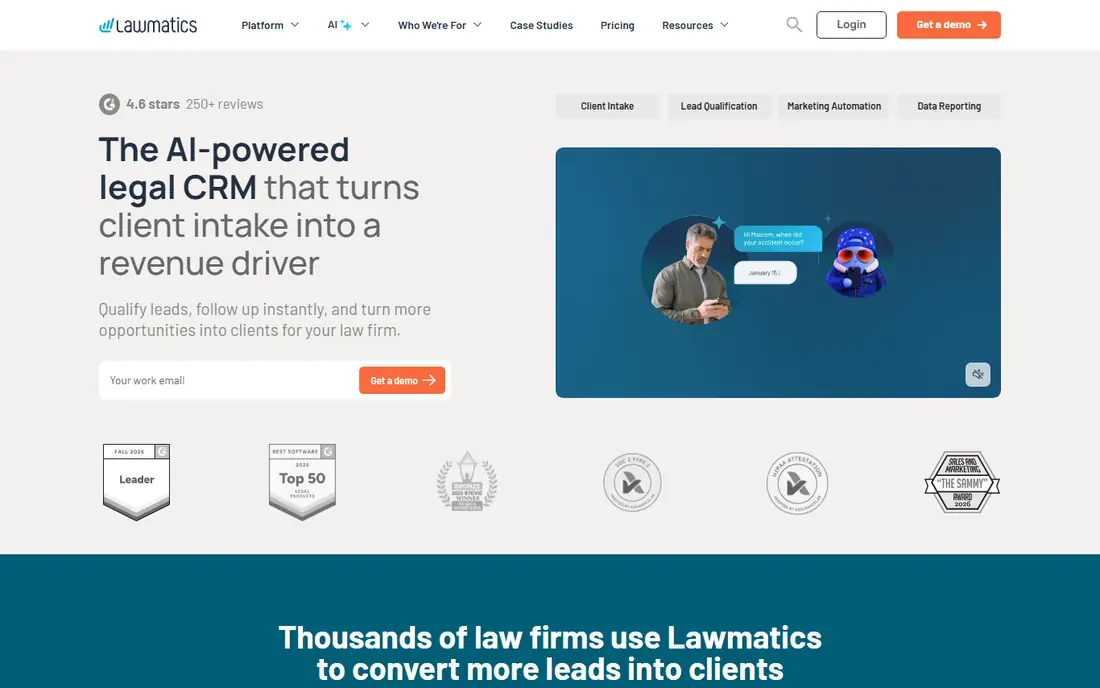
Lawmatics is a legal CRM first and a marketing tool second. It covers intake forms, lead tracking, automated follow-up emails, appointment booking, and reporting on where each lead came from, all shaped around how a law firm signs clients. Firms can build drip campaigns that chase a lead for weeks without a staff member remembering to send each message, and the pipeline view shows which leads are hot, which went cold, and which turned into matters.
Pricing is the hard part. Lawmatics publishes no price for its Essential, Premium, or Enterprise tiers, and the entry plan carries a three-user minimum. Third-party reports place the starting tier near $199 a month per firm, with mid-tier plans reported near $349 to $499 a month, but those are community estimates rather than vendor figures. Firms should request a written quote and ask what counts toward the user minimum. For a firm that signs most of its clients through the web, the intake automation can justify the cost, but a firm with few new leads each month will get less from it.
- Built only for law firms, with intake forms, drip campaigns, and matter pipeline in one place
- Bills per firm, not per user
- No published price for any tier, and a three-user minimum on the entry plan
- AI lead scoring is a separate add-on

Clio Grow is the client intake side of Clio. It adds intake forms, lead tracking, appointment scheduling, e-signature, and automated follow-up to the Clio platform, and the data flows straight into Clio Manage when a lead becomes a client. That single flow is the whole point: no exporting a spreadsheet, no retyping a name and phone number, and no lead slipping through because it sat in an inbox.
The catch is that Clio does not sell Grow on its own with a published price. It is included in the Elite tier of Clio Manage or sold as an add-on module to lower tiers, and the price comes from a sales quote. Third-party reports put standalone Grow near $59 per user per month, but that is an estimate. Firms already on Clio Manage should ask what the add-on costs for their tier, while firms on another practice system should look at Lawmatics or a general CRM instead, since Grow has little value outside Clio.
- Intake flows straight into Clio Manage matters with no retyping
- Forms, e-signature, and scheduling in one add-on
- No separate price is published, since Grow is bundled or sold as an add-on
- It only makes sense inside the Clio system
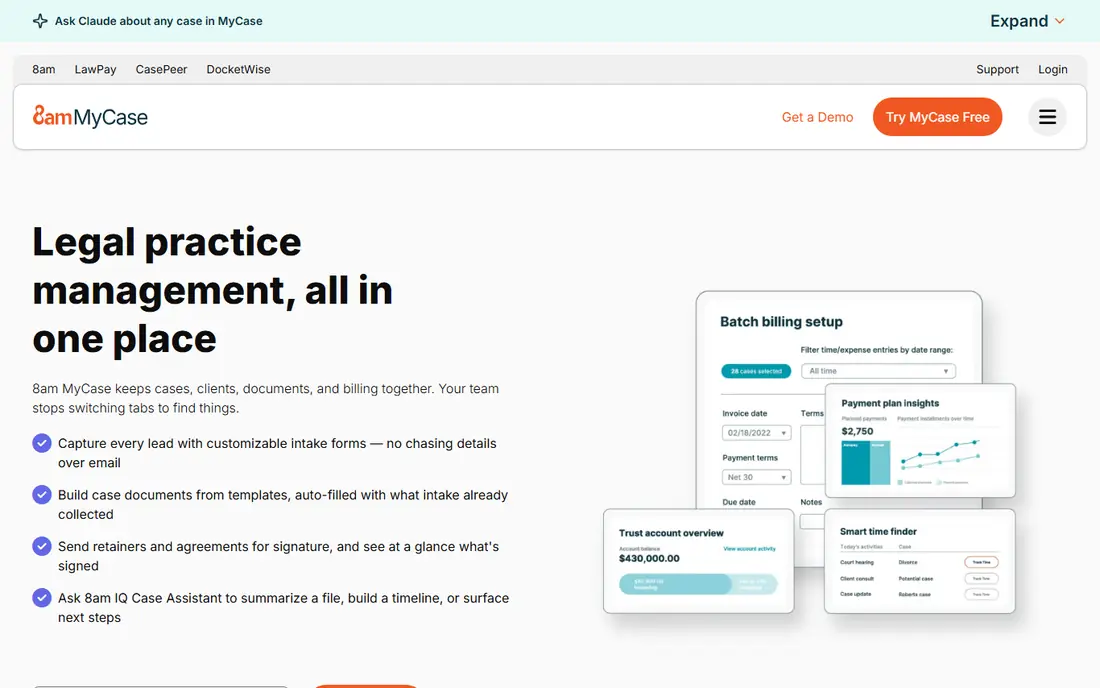
MyCase is not a pure CRM, but for many small firms it plays the role well enough. Intake forms feed into matters, the client portal handles documents and signatures, two-way texting keeps clients updated, and billing and trust accounting sit in the same login. Basic starts at $50 per user per month billed annually, or $60 billed monthly. Pro costs $100 and Advanced costs $130, both billed annually per user, and they add document automation, an AI writing assistant, and deeper reports.
The limit is depth. MyCase does not offer the drip campaign detail or lead source reporting that Lawmatics does, and firms that run heavy advertising will want a dedicated intake tool alongside it. But a firm that takes a modest number of new clients each month and wants one login for intake, matters, and billing will find MyCase covers the job at a published price. The 10-day trial is short, so plan the test around real intake forms rather than a casual look.
- Client intake, portal, texting, and billing in one login
- Trust accounting included from the Basic plan
- CRM depth is lighter than a dedicated tool such as Lawmatics
- Advanced reporting needs Pro or Advanced
PracticePanther
Great for: Firms that want CRM plus automation in one login
PracticePanther covers the CRM basics inside a full practice platform. Intake forms capture new leads, workflows assign follow-up tasks automatically, the client portal handles messages and documents, and billing and time tracking close the loop once a lead signs. Solo starts at $49 per user per month billed annually, Essential costs $69, Business costs $89, and Business Pro costs $114, all per user on annual billing.
The automation is the reason to pick it over a generic CRM. A firm can set a rule that sends a welcome email, assigns an intake call, and creates a task when a form arrives, without buying a separate marketing tool. The weakness is that it is still a practice management tool with CRM features, not a marketing platform, so firms running large ad campaigns will want more. For a small firm that wants one system and one bill, PracticePanther is a strong fit at a clear price.
- Published prices on every tier
- Intake forms, workflows, and client portal included
- No dedicated marketing automation like Lawmatics
- Full accounting waits for the Business Pro tier
HubSpot CRM is the best free starting point for a law firm that wants a real pipeline without a legal-specific tool. The free plan covers contacts, deals, tasks, email tracking, live chat, and meeting scheduling, which is enough for a solo attorney to track leads from first call to signed agreement. Sales Hub Starter costs $15 per user per month and adds email sequences, more automation, and simple reporting.
The gap is legal fit. HubSpot has no conflict check, no matter structure, and no trust accounting, so the firm must link it to Clio, MyCase, or PracticePanther to keep client data in one place. HubSpot does connect to those tools through native integrations or Zapier. Costs also climb as the firm adds seats and marketing contacts, so a growing firm should price the next two tiers before committing. For a firm that markets heavily by email and content, HubSpot is hard to beat at the entry level.
- Free CRM with contacts, deals, and email tracking
- Strong email sequences and meeting links on Starter
- Legal-specific features such as conflict checks and matter linking are missing
- Costs climb as contacts and seats grow
Salesforce Sales Cloud is the heavyweight option. Starter costs $25 per user per month billed annually and covers accounts, contacts, leads, opportunities, and basic reporting. Higher tiers add forecasting, workflow automation, and deeper analytics, and the AppExchange marketplace offers thousands of add-ons, including legal-specific tools. A large firm with a dedicated marketing team can shape Salesforce around almost any intake and referral process.
The downside is weight. Setup takes longer than any other tool here, and the firm will likely need an administrator or a consultant to keep it running well. Small firms will find the interface busy and the price ladder steep once they leave Starter. Salesforce suits firms with 20 or more users and a real sales operation, not a three-attorney practice that wants a simple pipeline. Firms that choose it should budget for setup time as well as the monthly fee.
- Deepest reporting and customization in this list
- Huge integration library and app marketplace
- Far more complex than a small firm needs, and costs rise fast with higher tiers and add-ons
Pipedrive keeps the CRM simple on purpose. Deals sit in a visual pipeline, each stage shows what to do next, and activity reminders keep follow-up from slipping. Email sync pulls messages into the deal record, and the mobile app works well for attorneys who take calls away from the office. Essential starts at $14 per user per month billed annually, which makes it one of the cheapest options here, and higher tiers add automation, email sequences, and deeper reporting.
The limit is the same as HubSpot: Pipedrive knows nothing about law. There is no conflict check, no intake form built for legal clients, and no link to matter files unless the firm builds one through Zapier or a practice management integration. A small firm that mainly needs to track leads and follow up on time will find Pipedrive fast to adopt and easy to teach, while a firm that needs legal intake depth should pair it with a dedicated tool or pick Lawmatics.
- Clear visual pipeline that is easy to learn
- Good email sync and activity reminders
- No legal-specific features
- Automation and reporting need higher tiers
Zoho CRM gives a small firm a lot for little money. The free plan covers up to three users with leads, contacts, deals, and tasks, and Standard starts at $14 per user per month billed annually with workflows, scoring rules, and more reporting. Higher tiers add AI assistance, journey orchestration, and deeper customization. Zoho also sells a whole suite of business tools, so a firm can add email, documents, and accounting from the same vendor.
The trade-off is polish. The interface packs in many options, and new users can find it crowded next to Pipedrive or HubSpot. Legal-specific setup, such as intake forms and matter links, needs manual configuration, and the firm should expect to spend time shaping the system. For a budget-minded firm that wants a full CRM at $14 a seat, Zoho is strong value, and the free plan lets a solo attorney start without spending anything.
- Free plan for up to three users
- Wide feature set for the price, including workflows and email
- Interface can feel crowded
- Legal templates and integrations need extra setup
What a CRM costs by firm size
| Firm size | Cheapest honest setup | Mid-range setup | What changes the bill | | Solo attorney | HubSpot free, or Zoho free for up to 3 users | Pipedrive Essential, $14 per user/month | Seats, contacts, and automation tiers | | 5 attorneys | Pipedrive Essential, $70 per user/month for 5 seats | MyCase Basic, $250 per user/month for 5 seats | Practice management bundle vs standalone CRM | | 15 attorneys | Pipedrive Essential, $210 per user/month for 15 seats | MyCase Pro, $1,500 per user/month for 15 seats | Intake volume, reporting, and AI add-ons |
Lawmatics and Clio Grow are left out of the sums because neither publishes a price, and their quotes are the number that matters. A solo attorney can run a real pipeline for free on HubSpot or Zoho, while a five-attorney firm that wants CRM inside practice management should expect $250 to $500 a month. Ask every vendor for the full yearly figure, including onboarding and any per-contact or per-message charges, before signing.
How we chose
We compared vendor pricing pages, product documentation, and plan feature lists read in November 2026, and we checked which prices each vendor actually publishes. Tools made the list only if they handle leads, contacts, and follow-up for a law firm, either as a legal-specific CRM or as a general CRM that firms commonly pair with practice management software. We left out tools built only for a single channel, such as live chat alone. Where a vendor publishes no price we say quote only instead of repeating a directory estimate as fact. We did not run hands-on tests, and we did not count review scores as evidence.
What to check before you buy
First, confirm the intake flow end to end. A CRM that cannot move a lead into a matter without retyping will cost staff time every week, so test the link to your practice system during the trial. Second, check the follow-up automation. Drip emails, text reminders, and task rules are what turn a lead list into signed clients, and they often sit on a higher tier. Third, ask about conflict checks. A general CRM has none, so the firm needs a clear process for running conflicts before a lead becomes a client. Fourth, count seats and contacts. Per-user pricing and contact limits both change the bill as the firm grows, so price the size you expect to be in a year, not the size you are now.
Frequently asked questions
Do law firms need a legal-specific CRM?
Not always. A firm that signs a few clients a month can run HubSpot, Pipedrive, or Zoho and link it to practice management software. A firm that lives on web leads, runs advertising, and needs intake forms, drip campaigns, and lead source reporting will get more from Lawmatics or Clio Grow. The deciding factor is intake volume, not firm size, so count new leads per month before choosing.
How much does a CRM for a law firm cost?
Entry prices run from free on HubSpot and Zoho to $14 per user per month on Pipedrive and Zoho Standard, and $49 to $50 per user per month when the CRM sits inside MyCase or PracticePanther. Lawmatics and Clio Grow publish no price and sell by quote, with third-party reports placing Lawmatics near $199 a month per firm. Add onboarding, add-ons, and payment processing to the monthly figure before budgeting.
Is Clio Grow a separate CRM?
Clio Grow is the intake and CRM module of Clio, not a standalone product with its own published price. It is included in the Elite tier of Clio Manage or sold as an add-on to lower tiers, and the price comes from a sales quote. Firms that do not run Clio Manage should look elsewhere, since Grow has little value outside the Clio system and cannot be bought on its own.
Can a free CRM work for a solo law firm?
Yes, for many solos. HubSpot free covers contacts, deals, email tracking, and meeting links, and Zoho free covers up to three users with leads and tasks. The limits appear when the firm needs intake automation, e-signature, or conflict checks, which usually need a subscription tier or a legal tool. A solo attorney with modest intake volume can run on a free CRM for a year or more.
What should a law firm CRM connect to?
It should connect to the practice management system, the email inbox, the calendar, and the phone system, so a lead moves from first contact to signed matter without retyping. It should also connect to the website forms that capture leads and to the payment tool that collects retainers. Check each link during the trial, since a connection listed on a marketing page can still need a higher tier.
Sources
See where you really rank - block by block
ProMapRanker scans Google Maps across a grid of your service area. Simple monthly plans from $19, white-label on every plan.
Start freeKeep reading
 best CRM software for salons
Best CRM Software for Salons Compared
Compare the best CRM software for salons with client records, booking, marketing and loyalty in one place. See prices, trials and the right fit for your team.
Read → best CRM software for roofers
Best CRM Software for Roofers
best CRM software for roofers compared on price, pipelines, estimates, and insurance workflows, so a roofing company can pick the system that fits its crews.
Read → best CRM software for med spas
Best CRM Software for Med Spas in 2026
Compare the best CRM software for med spas, with real prices and lead tracking features, so you can pick a CRM that turns more inquiries into booked treatments.
Read →