 ProMapRanker
Best Construction Cost Management Software

Key takeaways
- The best construction cost management software links the estimate, the budget, change orders, and actual costs in one record, so a project manager can see the forecast without rebuilding it in a spreadsheet.
- Procore, Autodesk Construction Cloud, Sage 300 Construction, Buildertrend, Jonas Construction Software, and ProEst use quote only pricing, so ask for a written quote that lists users, modules, and contract length.
- Clear Estimates starts at $59 per month billed annually, and Knowify starts at $99 per month billed annually, which gives small firms a clear entry point with published prices.
- Pick by job type first. Residential remodelers need local cost data and fast proposals, while commercial general contractors need change order control, subcontractor billing, and work in progress reports.
- Check accounting links, change order approval, retainage, and reporting before you sign, because a tool that cannot send costs to your ledger adds manual work.
Quick comparison
| Pick | Great for | Pricing starts at | Free tier | |
|---|---|---|---|---|
 Procore | Large general contractors | quote only | No | Visit |
 Autodesk Construction Cloud | Design-led commercial teams | quote only | Free trial (30 days) | Visit |
 Sage 300 Construction | Accounting-led construction firms | quote only | No | Visit |
 Buildertrend | Residential builders and remodelers | quote only | No | Visit |
 Jonas Construction Software | Specialty and service contractors | quote only | No | Visit |
 ProEst | Estimating teams in mid-size firms | quote only | No | Visit |
 Clear Estimates | Residential remodelers | $59 per month (billed annually) | Free trial (30 days) | Visit |
 Knowify | Trade contractors using QuickBooks | $99 per month (billed annually) | Free trial (14 days) | Visit |
The best construction cost management software
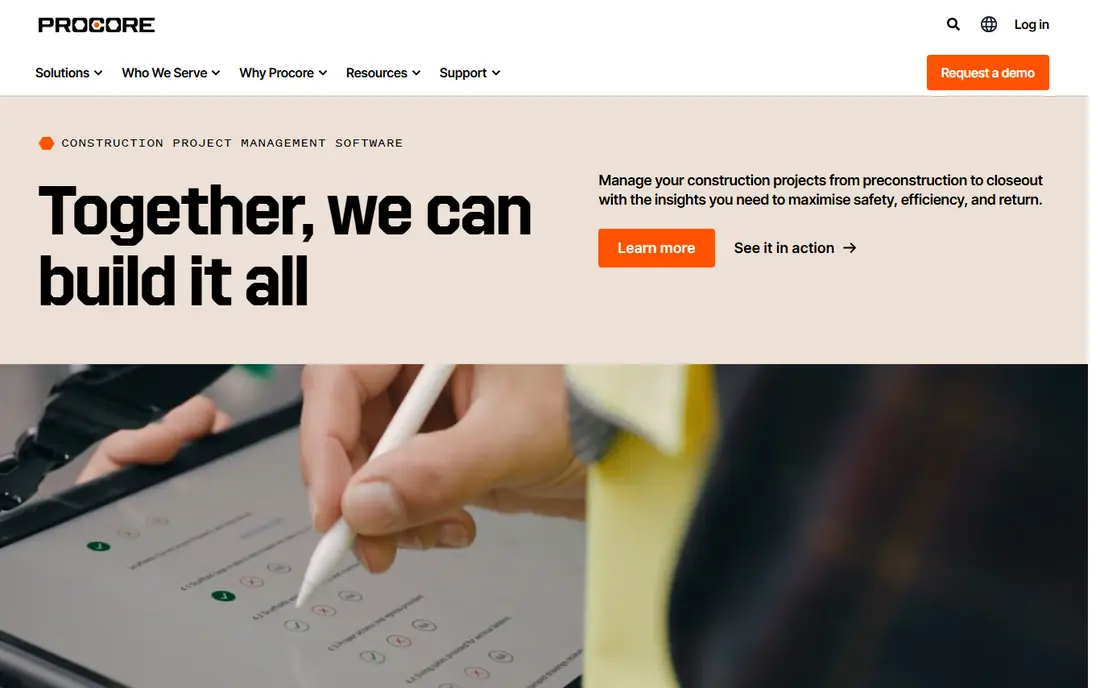
Procore is a construction platform that connects owners, general contractors, and specialty contractors around one project record. Its cost tools cover budgets, commitments, change orders, prime contracts, and invoicing, so the office and the field work from the same numbers. A project manager can compare the original budget with committed costs and forecast costs to complete, then share that view with the owner or the project team. That shared view helps teams spot a cost overrun early, while there is still time to act.
The vendor pricing page opened on 2026-11-11 asks for a custom quote and lists no published price. Pricing depends on the products selected and annual construction volume, with an upfront annual fee and unlimited users. That model suits large firms that run many projects at once, because adding users does not add a per-seat charge. Smaller firms should ask for a written quote for their actual volume and product set, and compare the first year cost with the renewal terms before they commit.
- Unlimited users on annual contracts
- Strong cost, change order, and field tools in one system
- Quote only pricing makes budgeting hard before a sales call
- Setup and training take time for large teams
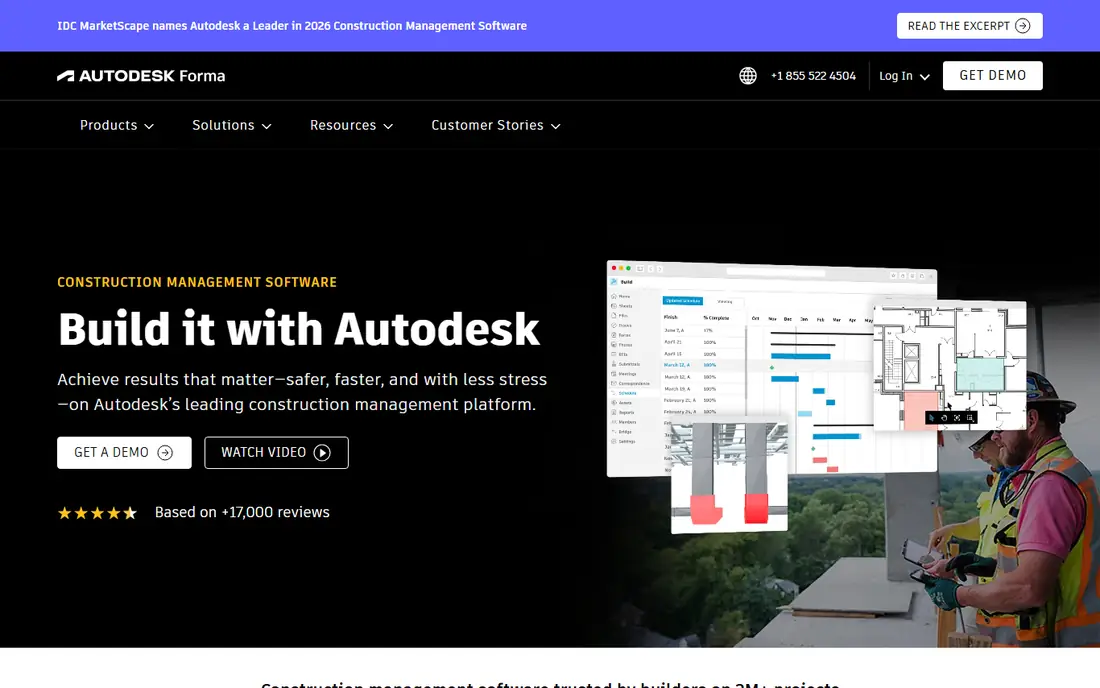
Autodesk Construction Cloud, now sold under the Autodesk Forma name, brings design, preconstruction, and field work into one common data environment. Its cost management module, inside Forma Build, tracks budgets, contracts, change orders, and cost forecasts, and it links cost items to drawings, RFIs, and submittals. Teams that already use Autodesk design tools can move from a model to a budget without retyping quantities or scope notes, which cuts errors at handover.
The vendor pricing page opened on 2026-11-11 shows bundle options and Get a Quote buttons, with no published per-user price on that page. The page lists three bundles that cover model management, preconstruction, and construction operations, and cost management appears in the build section. Ask Autodesk for a quote that names the bundle, the user count, and the term, and check if estimating through ProEst is included in the bundle you choose, because that changes the value of the quote.
- Cost management sits beside drawings, RFIs, and field tools
- Strong model and document links
- Pricing is quote only on the vendor pricing page
- Per-user costs add up fast on large teams
Sage 300 Construction and Real Estate, formerly Sage Timberline Office, is an accounting-led system for contractors, developers, and property managers. It covers job costing, general ledger, accounts payable and receivable, payroll, purchasing, and project management, with more than 1,400 prebuilt report formats listed on the vendor site. Costs flow from time cards, purchase orders, and subcontractor invoices into the job cost ledger, so the finance team can report actual cost against budget without a separate cost tool.
The vendor product page opened on 2026-11-11 says subscription pricing is available and asks the reader to request more information, with no published price. That fits an enterprise product, where the price depends on modules, users, and hosting. Firms that choose Sage 300 should budget for implementation and training, and ask how Sage Construction Management adds to the core accounting set. The gain is control: one ledger for cost, billing, and payroll, with an audit trail for every change.
- Deep construction accounting with job costing, payroll, and reporting in one ledger
- No published price on the vendor product page
- Implementation can run for months on mid-size jobs
Buildertrend is a cloud platform for home builders, remodelers, and specialty contractors. It covers sales, project management, client communication, scheduling, and financial management, with estimating, budgets, purchase orders, change orders, and invoicing in the financial set. A builder can build a budget from an estimate, track actual costs against it, send a change order for client approval, and invoice from the same job record. The client portal keeps owners informed, which cuts calls about cost and schedule.
The vendor pricing page opened on 2026-11-11 offers a custom quote after a short set of questions, with no published price and a 10 percent discount for annual payment. The page notes unlimited users and unlimited projects, and says the tool is built for builders who oversee five or more projects a year. Ask for a quote based on your annual construction volume, and confirm which financial tools are in your plan, because earlier published tiers gated estimating and budget tracking behind higher plans.
- Unlimited users and projects
- Budgeting, change orders, and client tools in one place
- Pricing is quote only on the vendor pricing page
- The tool suits established builders more than solo operators
Jonas Construction Software is a construction ERP for mechanical, electrical, plumbing, and other specialty contractors, plus service providers. It covers construction accounting, payroll, project management, service management, document control, purchasing, inventory, and equipment in one platform. Job cost reports carry unposted labor and burden, so a project manager sees true cost while work is still in progress, not only after month end close. Service work moves from work order to invoice in the same system, which helps firms that mix project and service revenue.
The vendor homepage opened on 2026-11-11 lists no price and describes implementation timelines that vary by company size, complexity, and readiness, typically from a few months to a year. That is a serious commitment, so ask for a written quote that lists modules, user types, hosting, implementation, and training as separate lines. Jonas fits firms that have outgrown generic accounting tools and need one ledger for job cost, payroll, and service, rather than a light estimating tool.
- Construction ERP with job costing, payroll, and service management in one system
- No published price on the vendor site
- Implementation typically takes a few months to a year
ProEst, now part of Autodesk Construction Cloud, is a cloud estimating and preconstruction platform for general contractors and subcontractors. It covers cost estimating, digital takeoffs, bid management, and bid day analysis, with preset cost database options or a custom database built from your own history. Estimators can build an estimate, run a takeoff from drawings, compare subcontractor bids, and send the winning estimate into the budget without retyping line items. That link from estimate to budget is the core of cost control on the jobs that follow.
The vendor pricing page opened on 2026-11-11 says to contact sales for a customized quote, with no published price. The page lists unlimited users and estimates, plus an API for links to other software. Ask which accounting systems ProEst connects with in your setup, and if you buy through Autodesk, ask if ProEst is priced alone or inside a preconstruction bundle. ProEst suits firms that estimate often and need a shared cost database, rather than a firm that estimates once a month.
- Cloud estimating with digital takeoffs, cost databases, and bid day tools
- Unlimited users and estimates
- Pricing is quote only on the vendor pricing page
- Accounting links vary by system, so check your ledger first
Clear Estimates is estimating software for residential contractors and remodelers. It ships with a part library of more than 13,000 line items and more than 400 preloaded templates, with local labor and material prices updated quarterly for more than 400 United States regions. An estimator picks a template, enters dimensions, and gets a detailed estimate and proposal with payable invoices. The AI Estimator on both plans picks parts from the library and shows where every price came from, which helps a small team explain a price to a client.
The vendor pricing page opened on 2026-11-11 states Standard at $79 a month, or $59 a month billed annually, and Pro at $119 a month, or $99 a month billed annually, with a 30-day free trial on every plan and no contract or setup fees. Standard includes one login, while Pro adds extra users at $9 a month each, Buildertrend integration, and CRM links through Zapier. That published price makes Clear Estimates the clearest low-cost entry on this list for a remodeler who needs local cost data more than a full project platform.
- Local labor and material prices for more than 400 United States regions
- Fast templates for kitchens, baths, and additions
- Built for residential remodeling, so commercial cost controls are limited
- Pro is needed for extra users and CRM links
Knowify is job management and job costing software for trade contractors such as electricians, plumbers, HVAC firms, painters, and remodelers. It covers estimates, proposals, fixed-price and cost plus contracts, scheduling, time tracking, change orders, progress billing, and AIA pay applications, with a real-time two-way sync to QuickBooks Online and Desktop. Costs from time entries, purchase orders, and vendor bills in QuickBooks flow into Knowify job costs, so a contractor can see profit by job and by phase without double entry.
The vendor pricing page opened on 2026-11-11 lists Core, Advanced, and Enterprise plans, and the vendor comparison pages on knowify.com state Core at $99 per month billed annually, or $149 month to month, with one user included, and Advanced at $329 per month billed annually, or $399 month to month, with ten users included. Extra users cost $29 per month each, Enterprise is quote only, and every plan includes a 14-day free trial with no contract. Job costing, project budgets, and real-time WIP reports start on Advanced, so a firm that needs true job costing should price Advanced, not Core.
- Real-time two-way QuickBooks sync
- Job costing and work in progress reports on the Advanced plan
- Job costing and WIP reports start on Advanced, not Core
- Service dispatch is a separate add-on
How we chose
We compared vendor pricing pages, product pages, and feature docs opened on 2026-11-11, and we checked each homepage to confirm the vendor and the product name. We looked for budget tracking, change order control, job costing, contract tracking, invoicing and progress billing, and links to accounting systems. We gave weight to tools that link the estimate to the budget and the budget to actual costs. We did not claim hands-on testing. Prices come from the vendor pricing pages listed in Sources, and quote only means the vendor page showed no published price.
What to check before you buy
Ask for a written quote that lists the plan name, the user count, the modules included, the contract length, and the renewal price. Check if the price is per user or flat, and if annual billing changes the monthly figure. For Clear Estimates, annual billing cuts Standard from $79 to $59 a month, a saving of $240 a year. For Knowify, annual billing cuts Core from $149 to $99 a month, a saving of $600 a year.
Check change order approval, retainage, and billing formats next. A good cost tool should let a field manager submit a change order, route it for approval, and update the forecast at once. It should track retainage on pay applications and show work in progress, so you know if a job is overbilled or underbilled. Check the accounting link too: Procore, Sage 300, Jonas, and Knowify all tie cost to a ledger, but the depth of that link varies, so test it with a real job, a real change order, and a real invoice during the trial or demo.
| Team size and budget | Best starting point | Why it fits | | Solo remodeler, under $100 per month | Clear Estimates Standard | Published $59 per month billed annually, local cost data, 30-day trial | | Small trade team, 1 to 10 users | Knowify Advanced | Job costing and WIP for 10 users at $329 per month billed annually | | Mid-size residential builder | Buildertrend, quote only | Unlimited users and projects, client portal, change orders | | Large commercial general contractor | Procore or Autodesk, quote only | Unlimited users or model links, change order and forecast control | | Accounting-led firm | Sage 300 or Jonas, quote only | One ledger for job cost, payroll, billing, and reporting |
Frequently asked questions
What is construction cost management software?
Construction cost management software tracks a job from estimate to final cost in one place. It holds the budget, contracts, commitments, change orders, invoices, and actual costs, then shows the forecast cost to complete. A project manager uses it to spot overruns early, approve changes with a clear cost effect, and report profit by job without rebuilding the numbers in a spreadsheet each week.
How much does construction cost management software cost?
Prices in this guide run from $59 per month billed annually for Clear Estimates Standard to quote only for Procore, Autodesk, Sage 300, Buildertrend, Jonas, and ProEst. Knowify Core starts at $99 per month billed annually, while Advanced starts at $329 per month billed annually. Quote only tools price by volume, users, and modules, so ask for a written quote for your team size.
Which tool is best for a small remodeling firm?
Clear Estimates is the best starting point for a small remodeling firm that needs fast, local estimates. Standard costs $59 per month billed annually, includes a 30-day free trial, and uses local labor and material prices for more than 400 regions. Knowify Core is a good next step if you also need scheduling, time tracking, and QuickBooks billing in the same tool.
Do I need job costing if I already use QuickBooks?
Yes, if you want profit by job and by phase. QuickBooks holds the ledger, but a cost tool ties each cost to a job, phase, and cost code, then compares it with the budget and the forecast. Knowify, Sage 300, Jonas, and Procore all add that job view, with WIP reports that show overbilling and underbilling. Without it, you see company profit, not job profit.
What should I check in a free trial?
Run one real job through the trial, from estimate to budget to change order to invoice. Enter your own labor rates, material prices, and subcontractor quotes, then check the forecast after a change. Test the accounting sync, the approval flow, and the reports your owner or client will see. If the tool cannot handle retainage or change orders cleanly, it will add manual work.
Is quote only pricing a warning sign?
No, it is common for enterprise construction software. Procore, Autodesk, Sage 300, Buildertrend, Jonas, and ProEst all price by volume, modules, and users, so a published price would mislead most buyers. Ask for a written quote that lists every module, user, and fee, plus the renewal terms. Compare the first year cost and the second year cost before you sign.
Sources
- https://www.procore.com/pricing
- https://construction.autodesk.com/pricing/
- https://www.sage.com/en-us/products/sage-300-construction-and-real-estate/
- https://www.buildertrend.com/pricing/
- https://www.jonasconstruction.com/
- https://www.proest.com/pricing/
- https://www.clearestimates.com/pricing
- https://www.knowify.com/pricing
See where you really rank - block by block
ProMapRanker scans Google Maps across a grid of your service area. Simple monthly plans from $19, white-label on every plan.
Start freeKeep reading
 best CRM software for salons
Best CRM Software for Salons Compared
Compare the best CRM software for salons with client records, booking, marketing and loyalty in one place. See prices, trials and the right fit for your team.
Read → best CRM software for roofers
Best CRM Software for Roofers
best CRM software for roofers compared on price, pipelines, estimates, and insurance workflows, so a roofing company can pick the system that fits its crews.
Read → best CRM software for med spas
Best CRM Software for Med Spas in 2026
Compare the best CRM software for med spas, with real prices and lead tracking features, so you can pick a CRM that turns more inquiries into booked treatments.
Read →