 ProMapRanker
Best Cloud Service in 2026


Google and Android users · Pricing starts at: $1.99 per month
Key takeaways
- Google Drive offers the most generous mainstream free tier, at 15GB shared across Gmail, Drive and Photos.
- Microsoft OneDrive is the best value for Office users, since 1TB comes with Microsoft 365 Personal at $6.99 per month.
- Dropbox still leads on sync reliability, but its 2GB free tier is the smallest on this list.
- pCloud, Sync.com and MEGA suit privacy-minded users, with encryption and, in pCloud case, lifetime plans.
- Pick by ecosystem first, since the service built into your phone and office apps will save the most friction.
Quick comparison
| Pick | Great for | Pricing starts at | Free tier | |
|---|---|---|---|---|
| Google Drive | Google and Android users | $1.99 per month | Yes | Visit |
 Dropbox | Fast, reliable sync | $11.99 per month | Yes | Visit |
 Apple iCloud | iPhone, iPad and Mac users | $0.99 per month | Yes | Visit |
 Microsoft OneDrive | Windows and Office users | $1.99 per month | Yes | Visit |
 pCloud | Lifetime plans and media | $4.99 per month | Yes | Visit |
 Sync.com | Privacy-first storage | $8.00 per month | Yes | Visit |
 Box | Business sharing and collaboration | See website | Yes | Visit |
 MEGA | Large free tier with encryption | See website | Yes | Visit |
The best cloud service
We use cloud service here to mean cloud storage and file apps for everyday users and small teams, since that is how most readers search for the term. We compared official pricing pages and feature pages, plus app store listings, for services that work well in October 2026. Prices below are starting paid prices for personal plans, and free tiers are listed separately in each section.
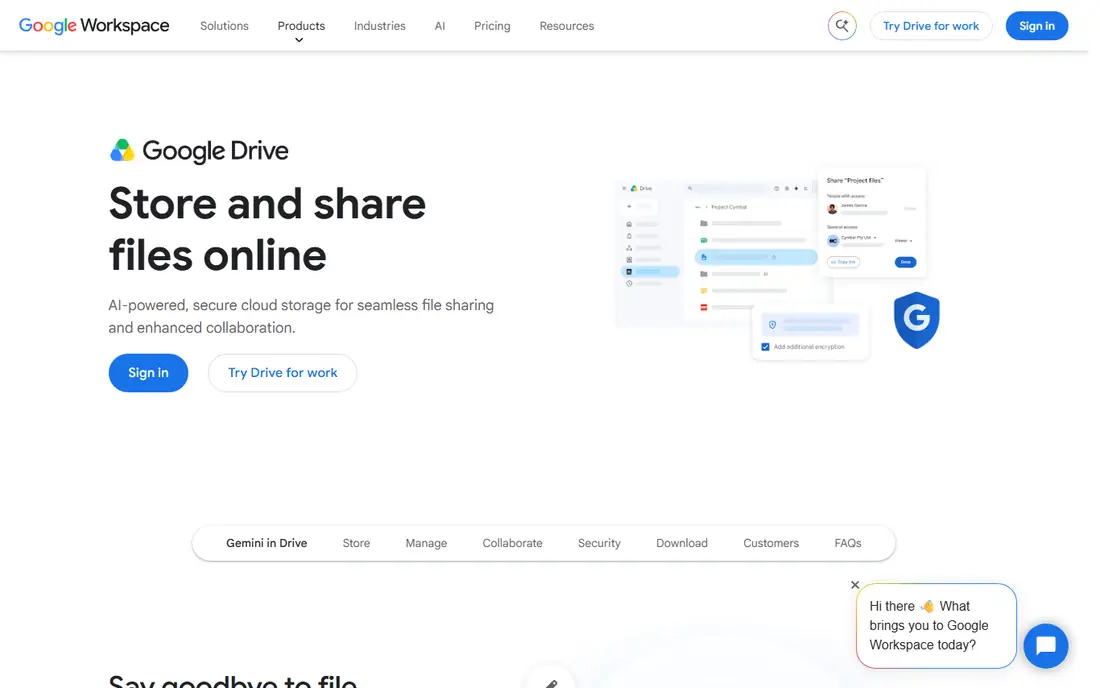
Google Drive is our pick for most people. The 15GB free tier covers documents, photos and email for light users, and paid Google One plans start at $1.99 per month for 100GB, $2.99 for 200GB and $9.99 for 2TB. Collaboration is the real strength, since Docs, Sheets and Slides let several people edit at once with comments and version history.
The shared storage limit is the catch. Photos and Gmail eat into the same 15GB, so heavy users hit the cap fast. Privacy-minded users should also note that consumer Google Drive does not offer zero-knowledge encryption by default. For Android users and anyone already in Google Workspace, Drive is still the easiest choice.
- 15GB free, the largest mainstream free tier
- Deep Docs, Sheets and Gmail integration
- Strong search and sharing
- Free 15GB is shared across Gmail, Drive and Photos
- Desktop app can feel heavy
- Consumer support is limited
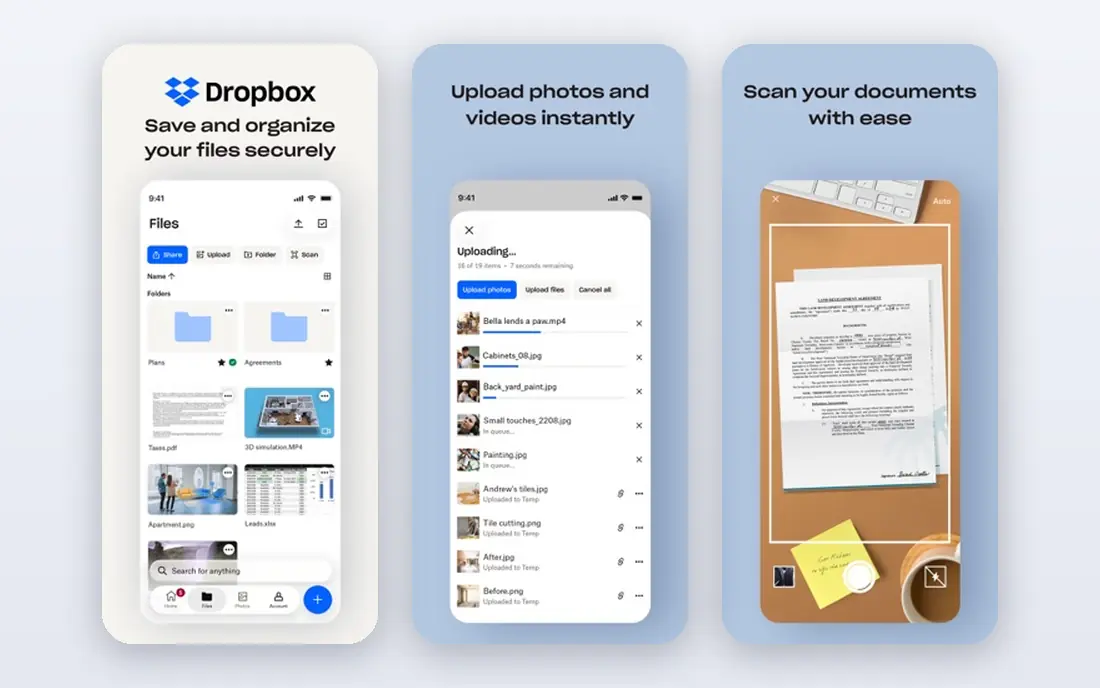
Dropbox built its name on sync that just works. Files update quickly across Windows, Mac, Linux, phones and the web, and sharing links, file requests and version history make it easy to collect work from clients and colleagues. Many creative and business apps integrate with Dropbox directly, which helps for mixed workflows.
Price and free storage are the weak points. The free tier is only 2GB, and the Plus plan costs $11.99 per month for 2TB, which is more storage than many individuals need. If you want the most reliable sync and you share large files often, Dropbox earns its price. If you mainly need a small paid plan, Google Drive or OneDrive fit better.
- Fast, dependable file sync across devices
- Simple sharing and file requests
- Wide third-party app support
- Only 2GB free
- Paid Plus plan starts at 2TB, with no small paid tier for many users
- No built-in office suite
Apple iCloud, sold as iCloud Plus for paid plans, is the obvious pick for Apple households. Backups, Photos, Messages and app data sync without extra setup, and paid plans start at $0.99 per month for 50GB, $2.99 for 200GB and $9.99 for 2TB. Family sharing can also share a larger plan across accounts.
The 5GB free tier fills fast once device backups start, which pushes most iPhone users to at least the 50GB plan. Windows users can use iCloud on the web and through a Windows app, but the experience is not as deep as on Apple devices. For iPhone and Mac users, iCloud is the lowest-friction option by far.
- Built into every Apple device
- Automatic device backups and photo sync
- Cheap 50GB entry plan
- Only 5GB free
- Windows and Android support is thinner
- Full value needs Apple devices
Microsoft OneDrive suits Windows and Office users best. The standalone 100GB plan costs $1.99 per month, while Microsoft 365 Personal costs $6.99 per month and adds 1TB plus Word, Excel, PowerPoint and Outlook. That bundle is hard to beat if you already pay for Office, since storage effectively comes with apps you use daily.
OneDrive also offers Personal Vault for sensitive files, file history for recovering older versions, and smooth co-editing in Office documents. The 5GB free tier is small, and Mac and mobile users get a good but less central experience than Windows users. For Office households, OneDrive is our pick.
- Built into Windows and Office
- 1TB with Microsoft 365 Personal
- Strong Office co-editing and file history
- Only 5GB free
- Best value needs a Microsoft 365 subscription
- Web interface is less simple than Drive for some users
pCloud appeals to users who dislike subscriptions. Monthly plans start around $4.99, annual plans lower the monthly cost, and lifetime plans for 500GB and 2TB let you pay once and stop paying monthly. The service also handles photos and videos well, with a built-in player and easy sharing links.
The main caveat is encryption. pCloud Crypto, which adds client-side encryption, is a paid add-on on many plans rather than a default feature. That matters for users who want zero-knowledge protection without extra cost. For media libraries and long-term storage without a monthly bill, pCloud is a strong alternative to the big three.
- Up to 10GB free
- Lifetime plans avoid ongoing subscriptions
- Built-in media player and file versioning
- Client-side encryption costs extra on most plans
- Lifetime pricing is higher up front
- Smaller ecosystem than Google or Microsoft
Sync.com is built around privacy. Files are encrypted on your device before upload, so Sync.com cannot read them, and sharing links come with passwords, expiry dates and download limits. Paid personal plans start around $8 per month for 2TB, with team plans for small businesses that need shared folders and admin controls.
The trade-off is ecosystem size. Sync.com integrates with fewer apps than Dropbox or Google Drive, and its mobile apps focus on storage rather than document editing. If privacy is your top priority and you mainly need secure storage and sharing, Sync.com is a better fit than a mainstream service.
- Zero-knowledge encryption by default
- 5GB free
- Version history and sharing controls for teams
- Higher starting paid price for 2TB
- Fewer third-party integrations than Dropbox
- Mobile apps are simpler than rivals
Box started as a business tool, and it still shines for teams. Admin controls, granular permissions, workflow tools and integrations with Google Workspace, Microsoft 365, Slack and Salesforce make it a good hub for shared work. Individuals get 10GB free, which is generous, though the free plan caps single files at 250MB.
For personal use alone, Box can feel heavier than Drive or OneDrive, and paid personal pricing is less prominently published than business plans, so we list it as See website. Small teams that need control over who sees what, plus audit and compliance features, will get more from Box than from a consumer-only service.
- 10GB free for individuals
- Strong admin, permission and compliance tools
- Wide business app integrations
- Personal paid pricing is less clear than rivals
- 250MB file limit on the free plan
- Overkill for simple personal backup
MEGA stands out for free users. The 20GB free tier beats Google Drive, OneDrive, iCloud and Dropbox, and end-to-end encryption is built in rather than an add-on. Paid plans add more storage and higher transfer limits, with pricing that varies by plan, so check the current price on the MEGA site before subscribing.
Heavy sharers should note transfer quotas on free accounts, which can pause large downloads until the quota resets. For users who want a large free tier plus encryption, and who mainly store and share files rather than edit documents online, MEGA is a compelling choice.
- 20GB free, the largest free tier here
- End-to-end encryption by default
- Apps for desktop, mobile and web
- Free transfer limits can slow heavy use
- Paid pricing varies by plan and region
- Support is thinner than big rivals
How we picked these
We compared official pricing, free tiers, encryption claims, platform support and sharing features for services available in October 2026. We kept services with a real free tier or trial, current apps for desktop and mobile, and a clear personal or small-team plan. We did not claim hands-on testing, and we used See website where personal pricing was not published clearly enough to state with confidence.
What to check before you pick a cloud service
Start with the devices and apps you already use. If you live in Gmail and Docs, Drive will feel natural. If you live in Office and Windows, OneDrive will feel natural. If you live on iPhone and Mac, iCloud will feel natural. Switching ecosystems later is possible, but moving large libraries takes time, so pick the path of least friction first.
Count storage across all your services
Free tiers sound large until email, photos and backups share the same pool. Check how much Gmail, Photos or device backups already use, then add your document and media libraries. A 100GB plan often covers documents and photos for one person, while video libraries and family backups usually need 2TB or a family plan.
Check encryption and sharing controls
If you store tax documents, medical records or client files, look for encryption details and sharing controls, not just a lock icon. Zero-knowledge encryption means the provider cannot read your files, while standard encryption still protects files in transit and at rest. Also check link expiry, password protection and version history before sharing sensitive files.
Keep a second copy of critical files
Cloud storage is not the same as backup. A deleted file, a locked account or a ransomware event can still cause loss, even with version history. Keep an external drive copy or a second cloud copy of irreplaceable photos and documents, and test restoring a file before you rely on any service alone.
Frequently asked questions
What is the best cloud service overall?
Google Drive is our pick for most people, thanks to 15GB free, strong collaboration and wide device support. OneDrive wins for Office users, iCloud wins for Apple users, and Dropbox wins for users who prize sync reliability above all.
Which cloud service is best for free storage?
MEGA offers 20GB free, followed by Google Drive at 15GB shared across Google services. Box offers 10GB free and pCloud offers up to 10GB free, while Dropbox offers only 2GB and OneDrive and iCloud offer 5GB each.
Which cloud service is best for privacy?
Sync.com and MEGA both offer end-to-end or zero-knowledge encryption by default, which suits privacy-minded users. pCloud offers client-side encryption as a paid add-on. Check each privacy policy, since encryption claims and data handling vary by plan.
Is Google Drive or OneDrive better?
Google Drive fits Google and Android users, with Docs collaboration and 15GB free. OneDrive fits Windows and Office users, with 1TB bundled into Microsoft 365 Personal. The better choice is usually the one tied to the office apps you already use.
How much cloud storage do I need?
Most individuals manage with 100GB to 200GB for documents and photos, while families and video creators often need 2TB. Check current usage across email, photos and backups first, then add room for growth over the next year.
Is cloud storage safe for important documents?
Cloud storage with encryption, strong passwords and two-factor authentication is safe for most documents, but keep a second copy of irreplaceable files. Use a service with version history and sharing controls for sensitive work, and avoid public links for private files.
Sources
See where you really rank - block by block
ProMapRanker scans Google Maps across a grid of your service area. Simple monthly plans from $19, white-label on every plan.
Start freeKeep reading
 best contact center software
Best Contact Center Software in 2026
We compared the best contact center software on channels, AI tools, pricing and scale, so you can pick a platform that fits your team size and budget in 2026.
Read → best compliance management software
Best Compliance Management Software in 2026
Compare the best compliance management software in 2026, with framework coverage, automation, audit support and pricing models explained clearly for teams.
Read → best commercial property management software
Best Commercial Property Management Software in 2026
Compare the best commercial property management software for offices, retail, and mixed portfolios, with pricing, accounting, leasing, and honest trade-offs.
Read →