 ProMapRanker
Best BI Tools for Financial Institutions in 2026


Microsoft shops and paginated reports · Pricing starts at: $14 per user per month
Key takeaways
- Power BI and Tableau lead for most banks and insurers, thanks to wide adoption, paginated reporting, and mature access controls.
- Looker stands out where one shared definition of revenue, risk, or exposure must hold across every team and report.
- Row-level security, audit logs, and single sign-on matter more than chart styles for regulated firms, so check them before price.
- This is not financial advice, and a BI tool does not replace compliance review; every dashboard that touches regulated data needs owner sign-off and access review.
Quick comparison
| Pick | Great for | Pricing starts at | Free tier | |
|---|---|---|---|---|
| Microsoft Power BI | Microsoft shops and paginated reports | $14 per user per month | Free trial | Visit |
 Tableau Tableau | Visual analysis and executive dashboards | $15 per user per month | Free trial | Visit |
 Looker Looker | Shared metric definitions and governance | See website | No | Visit |
 Qlik Sense Qlik Sense | Associative exploration of complex data | See website | Free trial | Visit |
 Domo Domo | Cloud dashboards with broad connectors | See website | Free trial | Visit |
 ThoughtSpot ThoughtSpot | Search-based questions on modeled data | $25 per user per month | Free trial | Visit |
 Strategy (MicroStrategy) Strategy (MicroStrategy) | Compliance-heavy enterprise reporting | See website | Free trial | Visit |
 Sigma Sigma | Spreadsheet-style work on warehouse data | See website | Free trial | Visit |
The best bi tools for financial institutions
We compared BI tools used by banks, insurers, and other financial firms, with a focus on access control, audit trails, reporting for regulators, and the cost of running them at scale.
Power BI is the practical default for many financial firms that already run Microsoft 365 and Azure. Paginated reports suit monthly packs, board papers, and regulator-ready documents that must print the same way every time. Row-level security can limit what a user sees by role or by attributes such as branch, business line, or cost center, which is central to internal controls.
The catch is that Power BI rewards a Microsoft-centered setup. Firms on Google Cloud or a mixed stack can still use it, but they lose some of the easy links to Teams, Excel, and Azure data tools. Large semantic models also need care, since a poorly built model slows reports and confuses business users. With good model ownership, it is a strong, cost-effective choice.
- Paginated reports for formal packs
- Row-level security through roles
- Deep Microsoft 365 and Azure links
- Best value depends on a Microsoft stack
- Complex models need skilled builders
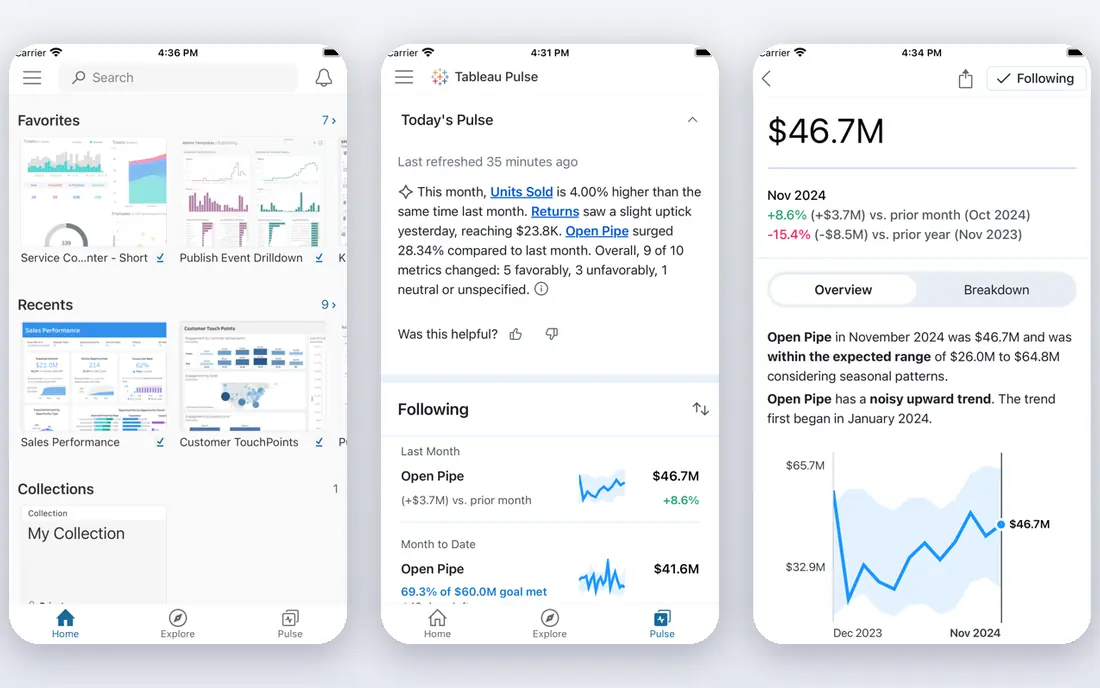
Tableau excels when analysts and leaders need to explore risk, portfolio, or claims data visually and ask follow-up questions in the same session. Executive dashboards read well, and the Viewer tier lets many staff read reports without paying a full builder price. User filters and data policies help limit rows by person, group, or entitlement table.
Governance is the work. Because Tableau makes it easy to build a workbook, a firm can end up with many versions of the same metric if no one owns definitions. Financial firms should pair Tableau with a published metric guide, named owners, and a review step before a workbook reaches a board or regulator audience. With that discipline, it is one of the best tools for trading, risk, and executive reporting.
- Strong visual exploration
- Viewer plan for wide read-only access
- Data policies and user filters for row control
- Creator pricing is high for large builder teams
- Governance needs discipline across workbooks
Looker is the governance pick. Metrics live in LookML, a modeled layer that teams can version, review, and audit, so revenue or exposure means the same thing in every report. Access filters and grants limit data by user attributes, which helps when different regions, entities, or business lines must not see each other's rows. For fraud, credit, and finance teams that argue over conflicting numbers, that single definition is worth real money.
The cost is skill and time. A firm needs people who can write and maintain LookML, and pricing is quote-based, so budgeting needs a vendor conversation. Small teams without an analytics engineer may find it heavy. For a larger bank or insurer with a warehouse and a need for auditable definitions, Looker is hard to match.
- LookML defines metrics once in code
- Access filters and grants control rows
- Strong BigQuery links
- Needs LookML skills
- Quote-only pricing
- Slower to start than a drag-and-drop tool
Qlik Sense suits financial analysts who need to explore how variables relate, such as how product, channel, region, and risk band interact in a loan book. Its associative engine highlights selections and shows what is excluded, which can surface patterns that a fixed dashboard hides. That style helps in underwriting review, claims triage, and portfolio checks.
New users need time to learn the model, and the pricing picture depends on user roles and deployment choices. Firms should run a proof of concept on a real data set, with real access rules, before committing. When the team learns the approach, Qlik is a strong tool for complex, multi-factor financial data.
- Associative engine shows related and unrelated values
- Strong for claims and portfolio exploration
- In-memory speed for many models
- Learning curve for the associative model
- Pricing varies by user type and deployment
Domo works well for financial firms that pull data from many systems, such as core banking, CRM, marketing, and finance tools, and need one cloud dashboard layer. Connectors reduce the time spent building pipelines, and alerts can flag threshold changes in deposits, claims, or delinquency without waiting for a monthly report. Sharing controls help limit who sees each dashboard.
As with other cloud BI tools, dashboard sprawl is the risk. Without owners and a review cycle, teams create overlapping reports that drift apart. Domo also prices by quote, so a firm should get a full quote for its user mix and data volume. For a mid-size firm that wants speed and broad connections, it is a credible alternative to the largest platforms.
- Wide connector set
- Cloud dashboards and alerts
- Built-in data prep and sharing controls
- Quote-based pricing
- Governance needs care as dashboard count grows
ThoughtSpot helps business users who want to ask a question in plain words, such as deposits by branch last quarter, and get a chart without waiting for an analyst. That speed helps finance teams during close, when variance questions arrive fast. Row security rules can limit tables and models by group and user, and its search respects those limits.
The tool depends on model quality. If dimensions, measures, and joins are messy, search answers will be messy too. It is also not the first pick for a formal regulator pack that needs exact page layout. Pair ThoughtSpot with a governed model and use Power BI or Tableau for formal packs, and it can cut the queue of routine finance questions.
- Natural-language search on modeled data
- Rule-based row security
- Change analysis for variance work
- Needs a well-built model to work well
- Less suited to pixel-perfect formal reports
Strategy, formerly MicroStrategy, is a long-standing choice for large financial institutions with strict reporting needs. Its governance, security, and large-deployment track record suit firms that run many reports for many regulated users and need consistent control. Mobile and formatted reporting support both field teams and formal distribution.
It is an enterprise buy, not a quick team tool. Setup, administration, and licensing need planning and skilled staff, and smaller firms may find it heavy for their size. For a large bank or insurer that values a single governed platform over many point tools, Strategy remains a serious contender.
- Mature enterprise governance
- Strong for large, governed deployments
- Pixel-perfect and mobile reporting
- Enterprise pricing and setup effort
- Needs skilled administration
Sigma suits finance teams that live in spreadsheets but need warehouse-scale data and controlled access. Analysts can build pivot-style views, input tables, and models with a familiar interface, while the query runs against the warehouse. User attributes can filter rows, so a finance user sees only their department or entity.
The main limit is stack fit. Sigma shines with Snowflake, BigQuery, and similar warehouses, and pricing is quote-based. Firms without a warehouse, or with data still in many separate systems, should fix that foundation first. For a warehouse-ready finance team, Sigma shortens the gap between analysis and a governed report.
- Spreadsheet interface on live warehouse data
- Row filters by user attributes
- No need to move data into a separate BI store
- Quote-only pricing
- Works best with a modern cloud warehouse
How we picked these
We compared official product and pricing pages, public row-level security comparisons, and vendor documentation on access control and reporting. We checked that each homepage loads and belongs to the product named. We kept only tools used by financial firms or suited to regulated reporting, with clear access controls, audit or governance features, and a current free tier, trial, or published entry price. Where a price could not be verified at the time of writing, we wrote See website rather than guessing. A vendor claim about compliance does not replace a firm's own security review, data classification, and regulator checks.
What a financial firm should check first
Start with access, not charts. Confirm single sign-on, row-level and column-level controls, audit logs, and data residency options. Ask how a user request is logged, how access is reviewed, and how a report owner is named. A beautiful dashboard with weak access control is a risk, not an asset, in a regulated firm.
Next, check metric ownership. Name one owner for each key metric, such as net interest income, loss ratio, or assets under management, and record its definition, source, and refresh schedule. Test the tool with a real, messy data set and a real access rule, such as a regional manager who must not see another region. Finally, separate formal reports from exploration. Formal packs need fixed layout, version control, and sign-off, while exploration needs speed and flexibility. One tool can do both only if the firm enforces that split.
Security questions to ask every vendor
Ask where data is stored, whether the BI layer copies data or queries it live, and how embedded reports pass user identity. Ask about encryption, key control, and incident handling, and get answers in writing for the security file. Also ask how AI features handle row security, since a chat or search feature must respect the same limits as a dashboard. If a vendor cannot show that, keep AI features off regulated data until it can.
Frequently asked questions
What is the best BI tool for a bank?
Power BI is a strong default for a bank on Microsoft tools, thanks to paginated reports and row-level security at a modest entry price. Tableau suits visual risk and executive work, while Looker suits a bank that needs one governed definition of each metric across teams.
How do BI tools handle compliance in financial services?
They handle it through access controls, audit logs, single sign-on, and governed metric models, not through a single compliance badge. A firm must still classify data, review access, name report owners, and test controls with real users and real data sets.
Is Power BI or Tableau better for insurers?
Power BI is often better for formal packs, cost control, and Microsoft-based teams. Tableau is often better for visual claims, underwriting, and portfolio exploration, and its Viewer tier helps spread read-only access widely.
Do financial firms need a data warehouse for BI?
Most firms get the best results with a warehouse or a governed semantic layer, since it gives one place for definitions and access rules. Some tools can query source systems directly, but that approach is harder to audit and slower at scale.
Can a small financial firm use these tools?
Yes, with a smaller scope. Start with one governed data set, a few key reports, and strict access rules, then expand. A small firm should avoid buying enterprise capacity it cannot staff or govern.
Sources
See where you really rank - block by block
ProMapRanker scans Google Maps across a grid of your service area. Simple monthly plans from $19, white-label on every plan.
Start freeKeep reading
 zeffy payment processor stripe alternatives
Zeffy and Stripe Alternatives for Nonprofits in 2026
Explore zeffy payment processor stripe alternatives for nonprofits. We compare 8 fundraising platforms on fees, donor tools, and nonprofit focus. Check fees.
Read → workday alternatives
Workday Alternatives in 2026
Workday alternatives compared: we review 8 HR and payroll platforms that replace Workday, with pricing, strengths and honest limits for each team size.
Read → what's the best weather app
What's the Best Weather App in 2026
Wondering what's the best weather app? We compare 10 free and paid apps for forecasts, radar, alerts, and Colorado mountain weather for everyday and storm use.
Read →