 ProMapRanker
Best Automotive Shop Software Compared

Key takeaways
- Tekmetric, Shop-Ware, and Mitchell 1 suit shops that want a full workflow from estimate to invoice, while smaller shops may prefer a simpler setup.
- Every tool in this guide uses quote-only pricing, so a demo and a written quote are part of the buying process.
- Repair order speed, parts catalog access, and customer messaging matter more than a long feature list.
- Migration time varies by tool, and shops should ask each vendor how long data import and staff training take.
Quick comparison
| Pick | Great for | Pricing starts at | Free tier | |
|---|---|---|---|---|
 Tekmetric | Full-service repair shops | quote only | No | Visit |
 Shop-Ware | Cloud-based shop management | quote only | No | Visit |
 Mitchell 1 | Shops needing repair data | quote only | No | Visit |
 Shopmonkey | Growing independent shops | quote only | No | Visit |
 AutoLeap | Shops wanting guided workflows | quote only | No | Visit |
 RO Writer | Repair order management | quote only | No | Visit |
 Protractor | Multi-location shop groups | quote only | No | Visit |
 MaxxTraxx | Shops needing deep reporting | quote only | No | Visit |
The best automotive shop software
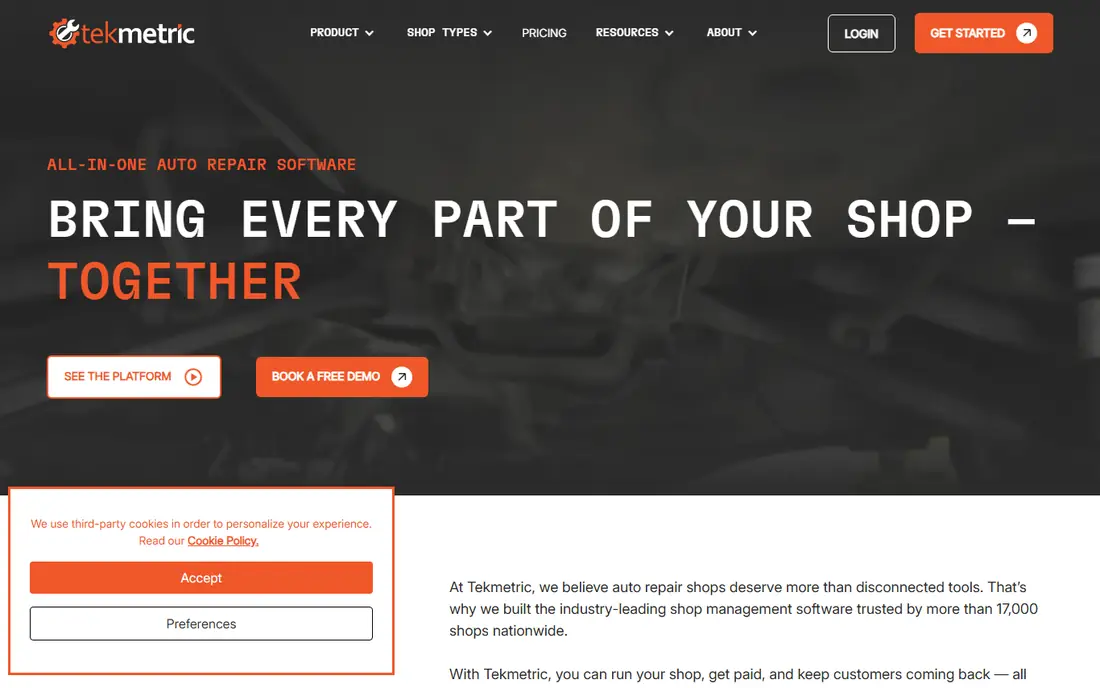
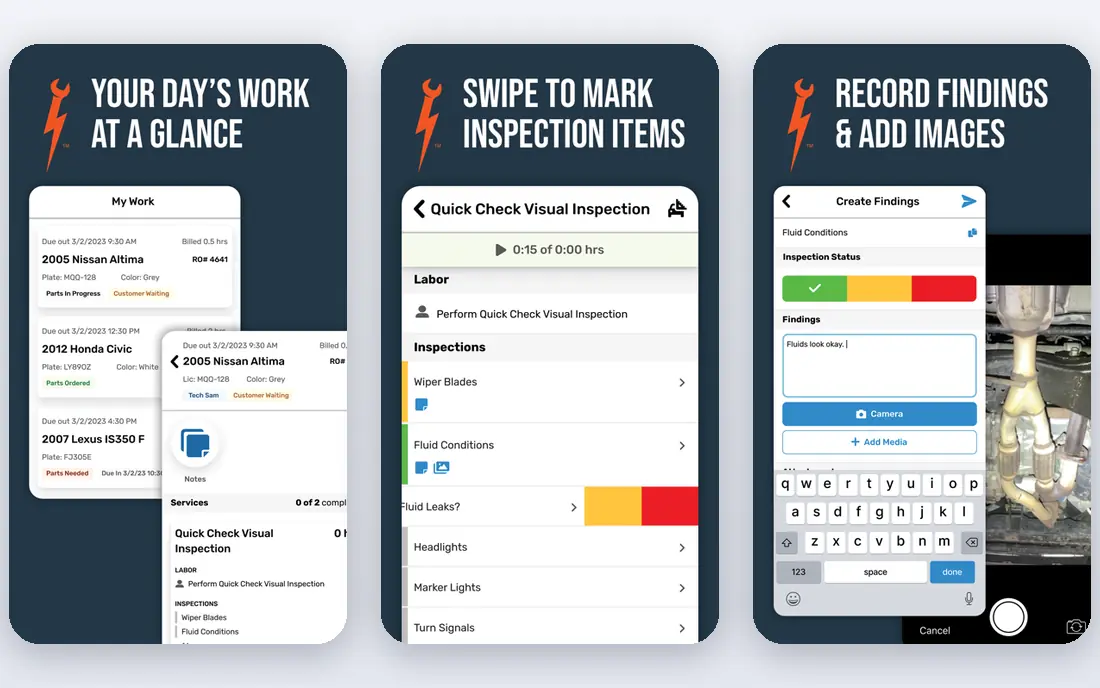
Tekmetric is a cloud-based shop management system built around the repair order. It covers estimates, digital vehicle inspections, approvals, invoicing, and customer communication in one workflow. Technicians can attach photos and notes to an inspection, and service advisors can send the inspection to the customer for approval by text or email. That approval step keeps the job moving without phone calls back and forth, and it gives the customer a clear record of what was recommended and why.
The system also includes scheduling, parts ordering, and reporting for shop owners who want to track sales, technician output, and gross profit. Tekmetric integrates with parts suppliers and payment providers, which reduces double entry between systems. Shops that run a high volume of repair orders benefit from the structured workflow, because each job follows the same path from write-up to invoice. New users should expect a training period while advisors and technicians learn the inspection and approval flow. Pricing is available on request, and the vendor offers a demo so a shop can see the workflow before committing.
- Cloud-based repair order workflow
- Built-in customer messaging and digital inspections
- Pricing is quote only, so there is no public price to compare before a sales call
Shop-Ware is a cloud-based auto repair shop management platform that runs in a browser, so there is no local server to maintain. It handles scheduling, estimating, digital inspections, repair orders, invoicing, and customer communication. Technicians can build inspections with photos and video, and customers can approve work from a link sent to their phone. The platform also supports parts catalog lookup and labor guides, which help advisors build accurate estimates.
Shop-Ware includes reporting on sales, technician efficiency, and shop performance, plus integrations with parts suppliers and payment processors. Its cloud design suits shops with more than one location or owners who check the shop from off site. Because the system is browser based, staff need a reliable internet connection during the workday. Onboarding includes data migration and training, and the vendor states that implementation support is part of the package. Pricing is available on request, and a demo is the usual first step for a shop comparing options.
- Fully cloud-based with no local server
- Digital inspections with photos and video
- Pricing is quote only, so there is no public price to compare before a sales call
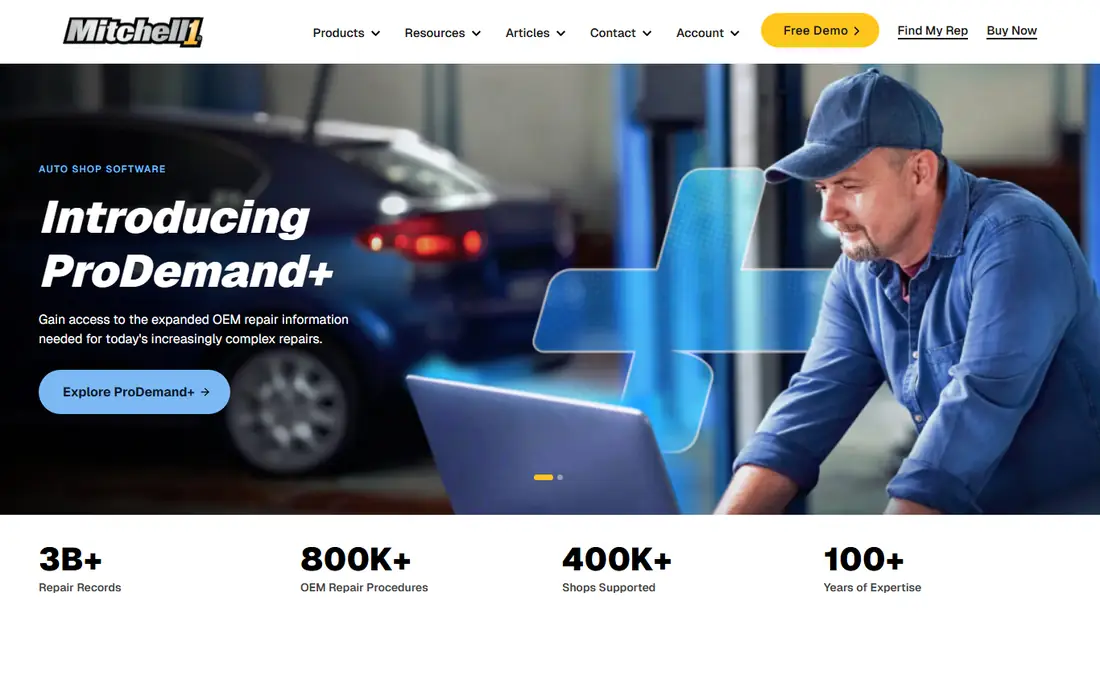
Mitchell 1 is best known for its repair information, and its shop management product, Manager SE, pairs that data with repair order writing, estimating, scheduling, and invoicing. The repair data covers labor times, wiring diagrams, service procedures, and parts information, which helps technicians diagnose jobs and advisors write estimates with confidence. Shops that already use Mitchell 1 repair data often find the combined workflow convenient, because the estimate and the repair information sit in the same system.
Manager SE also includes customer history, appointment scheduling, and reporting on shop performance. It connects with parts suppliers and accounting tools, and it supports digital inspections and customer messaging in newer versions. The product has a long history, and some parts of the interface reflect that desktop-era heritage, so new staff may need more training than with a newer cloud product. Pricing is available on request, and the vendor offers demos and training resources for shops evaluating the system.
- Deep repair information and labor data
- Long history in the repair industry
- Pricing is quote only, and the interface reflects a desktop-era design heritage
Shopmonkey is a cloud-based shop management system aimed at independent repair shops that want a modern, easy-to-learn tool. It covers estimates, repair orders, digital inspections, scheduling, invoicing, and payments. Service advisors can send inspection results and estimates to customers by text, and customers can approve work from their phones. The system also includes tools for collecting reviews and staying in touch with customers after the visit, which helps smaller shops build repeat business.
Shopmonkey offers integrations with parts catalogs, payment providers, and accounting software, plus reporting on sales and technician performance. Its interface is cleaner than many older shop systems, which can shorten the learning curve for new hires. Shops with complex multi-location needs may find some advanced controls less deep than in larger enterprise systems, so a demo should cover those cases. Pricing is available on request, and the vendor provides onboarding help for shops moving from another system or from paper records.
- Modern interface that is easy to learn
- Strong customer messaging and review tools
- Pricing is quote only, so there is no public price to compare before a sales call
AutoLeap is a cloud-based auto repair software platform that guides a job from appointment through estimate, repair, and payment. It includes digital inspections, repair orders, invoicing, and customer messaging, plus a built-in customer database and marketing tools for reminders and follow-up. The guided workflow suits shops that want consistent steps for every job, because advisors and technicians follow the same process from write-up to delivery.
The platform also offers scheduling, parts ordering, and reporting, with integrations for parts suppliers and payment processing. AutoLeap markets itself to shops that want to grow, and its CRM features help owners track customer history and send service reminders. Shops coming from a paper-based process may find the structured workflow a big change, and training time should be part of the plan. Pricing is available on request, and the vendor offers a demo and onboarding support for new customers.
- Guided repair workflows with checklists
- Built-in CRM and marketing tools
- Pricing is quote only, so there is no public price to compare before a sales call
RO Writer is a shop management system focused on writing repair orders, building estimates, and managing the job from intake to invoice. It includes scheduling, digital inspections, parts ordering, and customer history, with an emphasis on a fast, practical workflow for service advisors. The system connects with Mitchell 1 repair information, so advisors can pull labor times and service data into estimates without leaving the repair order screen.
RO Writer also includes reporting on sales and shop performance, plus integrations with payment providers and parts suppliers. Its narrower focus can be an advantage for shops that want a capable repair order tool without a large suite of extra modules, but shops that need deep marketing or multi-location management may need add-ons or a second tool. The vendor offers training and support during setup. Pricing is available on request, and a demo is the best way to judge the workflow against the shop's daily routine.
- Focused repair order and estimating workflow
- Integrates with Mitchell 1 repair data
- Pricing is quote only, and the feature set is narrower than full-suite rivals
Protractor is a shop management system designed for repair shops and multi-location groups. It covers estimates, repair orders, scheduling, digital inspections, invoicing, and customer communication, with controls for managing more than one store from a central view. Owners can compare performance across locations, set shared price lists, and track technician output by store, which suits groups that are adding locations.
The system also includes parts catalog access, labor guides, and reporting, plus integrations with parts suppliers and payment providers. Protractor offers both cloud and local deployment options, which gives shops a choice about where data lives. That flexibility comes with more setup decisions, so a shop should confirm the deployment model and the migration plan with the vendor before signing. Pricing is available on request, and the vendor provides demos and onboarding for new customers.
- Multi-store controls and consolidated reporting
- Flexible workflow options
- Pricing is quote only, so there is no public price to compare before a sales call
MaxxTraxx is a shop management system with a focus on reporting, inventory control, and repair order management. It covers estimating, scheduling, digital inspections, invoicing, and customer history, with detailed reports on sales, parts margins, technician efficiency, and inventory levels. Shops that track parts stock closely benefit from the inventory tools, which link parts on a repair order to stock on hand and to supplier orders.
The system also includes customer messaging and integrations with parts catalogs and payment providers. MaxxTraxx has a long track record in the repair industry, and its reporting depth is a genuine strength for owners who manage by the numbers. The interface reflects a desktop-era design heritage, so new staff may need more training than with a newer cloud product, and shops should confirm which features are cloud accessible. Pricing is available on request, and the vendor offers demos and training for shops evaluating the system.
- Detailed reporting and inventory control
- Long track record with repair shops
- Pricing is quote only, and the interface reflects a desktop-era design heritage
How we chose
We compared vendor pricing pages, product pages, and documentation for each tool. Every tool in this guide lists pricing on request rather than a public price, so we recorded each one as quote only and linked the vendor homepage in Sources. We looked for repair order writing, estimating, digital inspections, scheduling, invoicing, parts catalog access, and customer messaging, and we checked which tools support more than one location. We did not claim hands-on testing, and we did not use ratings, awards, or customer counts, because those figures are not verified here. Each tool has at least one real con, drawn from a true limit such as quote-only pricing or a desktop-era design heritage.
What to check before you buy
Ask each vendor for a written quote that covers the monthly plan, onboarding, data migration, and training, because none of these tools publishes a price. Confirm how your existing customer and vehicle history will move into the new system, and ask how long that migration takes. Test the digital inspection flow on a real job during the demo, including photos, customer approval by text, and the final invoice. Check parts catalog coverage for the makes you service most, and confirm the labor guide matches your pricing. Ask about contract length, cancellation terms, and what happens to your data if you leave. Finally, confirm support hours and response times, because a shop cannot wait long for help during a busy day.
Setup effort
| Tool | Data migration | Staff training | Time to first repair order | | Tekmetric | Vendor-assisted import, time varies by data quality | Vendor training included, plan for days | Days to about 2 weeks, vendor does not publish an exact figure | | Shop-Ware | Vendor-assisted import, time varies by data quality | Onboarding and training included, plan for days | Days to about 2 weeks, vendor does not publish an exact figure | | Mitchell 1 | Vendor-assisted import, time varies by data quality | Training resources and vendor help, plan for days | About 1 to 2 weeks, vendor does not publish an exact figure | | Shopmonkey | Vendor-assisted import, time varies by data quality | Onboarding help included, plan for days | Days to about 1 week, vendor does not publish an exact figure | | AutoLeap | Vendor-assisted import, time varies by data quality | Onboarding support included, plan for days | Days to about 2 weeks, vendor does not publish an exact figure | | RO Writer | Vendor-assisted import, time varies by data quality | Training and support during setup, plan for days | Days to about 1 week, vendor does not publish an exact figure | | Protractor | Vendor-assisted import, time varies by data quality | Demos and onboarding for new customers, plan for days | About 1 to 2 weeks, vendor does not publish an exact figure | | MaxxTraxx | Vendor-assisted import, time varies by data quality | Demos and training for new customers, plan for days | About 1 to 2 weeks, vendor does not publish an exact figure |
Frequently asked questions
What is the best automotive shop software for a small repair shop?
Shopmonkey and AutoLeap are good starting points for a small shop, because both are cloud-based and include estimates, digital inspections, repair orders, and customer messaging in one system. Tekmetric and Shop-Ware also work well for small shops that expect to grow. Ask each vendor for a written quote, because all eight tools in this guide use quote-only pricing, and compare onboarding and training before you decide.
How much does automotive shop software cost?
None of the eight tools in this guide publishes a starting price, so each one is listed as quote only. The monthly plan usually depends on the number of users, locations, and add-on modules, plus onboarding and training fees. Ask every vendor for a written quote with the same scope, so the numbers are comparable, and confirm contract length and cancellation terms in writing.
Do I need digital inspections in shop software?
Digital inspections help most shops, because photos and notes show the customer exactly what a technician found. Customers can approve work from their phone, which keeps jobs moving and creates a clear record. Tekmetric, Shop-Ware, Shopmonkey, and AutoLeap all include digital inspections, and Mitchell 1, RO Writer, Protractor, and MaxxTraxx support them too.
Can automotive shop software handle parts ordering?
Yes, all eight tools connect with parts suppliers or catalogs, and most link parts on a repair order to supplier orders. Coverage varies by supplier and region, so check that your main parts vendors are supported before you buy. Ask the vendor to show a parts lookup and order during the demo, using a vehicle you service often.
Is cloud-based shop software better than desktop software?
Cloud-based tools such as Tekmetric, Shop-Ware, and Shopmonkey let owners check the shop from anywhere and avoid maintaining a local server, but they need a reliable internet connection. Desktop-era systems such as Mitchell 1 and MaxxTraxx may offer deeper reporting or data features. Protractor offers both cloud and local deployment, so ask each vendor which model fits your shop.
How long does it take to switch to new shop software?
Most shops need days to about two weeks from contract to the first live repair order, depending on data quality, training, and how many staff need to learn the system. Migration of customer and vehicle history is usually vendor-assisted. Ask each vendor for a written migration plan with dates, and run the new system alongside the old one for a short period if possible.
Sources
See where you really rank - block by block
ProMapRanker scans Google Maps across a grid of your service area. Simple monthly plans from $19, white-label on every plan.
Start freeKeep reading
 best chimney sweep software
Best Chimney Sweep Software: 8 Tools Compared
Compare the best chimney sweep software for scheduling, quotes and invoicing. See starting prices, free trials and the right pick for your crew size now.
Read → best childcare management software
Best Childcare Management Software
Compare the best childcare management software for centres and preschools, with billing, attendance, parent messaging, and learning tools in one clear guide.
Read → best channel manager software for hotels
Best Channel Manager Software for Hotels
Compare the best channel manager software for hotels in 2026, with real prices, channel counts and PMS links, so you can stop double bookings and sell rooms.
Read →