 ProMapRanker
Best AI Job Application Tool in 2026

Key takeaways
- True auto-apply tools submit applications for you, while autofill tools only fill forms and still need you to press submit, so check which type you are buying.
- Tools that tailor a resume per job, such as AIApply, JobCopilot on Elite plans, and FastApply on Pro plans, beat tools that send the same resume everywhere.
- Teal is the best free starting point for tracking and resume building, even though it does not auto-submit applications.
- Volume alone does not win interviews, so review tailored resumes for truthfulness before any tool sends them.
- Some employers block automated applications, so use auto-apply alongside targeted manual applications for roles you care about most.
Quick comparison
| Pick | Great for | Pricing starts at | Free tier | |
|---|---|---|---|---|
 AIApply | Auto-apply with resume tools | See website | Free trial | Visit |
 JobCopilot | Career-page auto-apply | See website | Free trial | Visit |
 FastApply | Tailored auto-apply in one plan | See website | Yes | Visit |
 Teal | Free tracking and resume builder | Free | Yes | Visit |
 Simplify | Autofill across many portals | Free | Yes | Visit |
 LoopCV | Automated loops across job boards | See website | Yes | Visit |
 LazyApply | One-time bulk Easy Apply | See website | No | Visit |
 Jobright | AI matching with autofill assist | Free | Yes | Visit |
 Sonara | AI matching and auto-apply for tech | See website | Free trial | Visit |
 Huntr | Tracking with autofill and AI docs | Free | Yes | Visit |
The best AI job application tool
We compared AI job application tools on whether they truly submit applications, whether they tailor resumes per job, which boards and applicant tracking systems they cover, and what they cost.
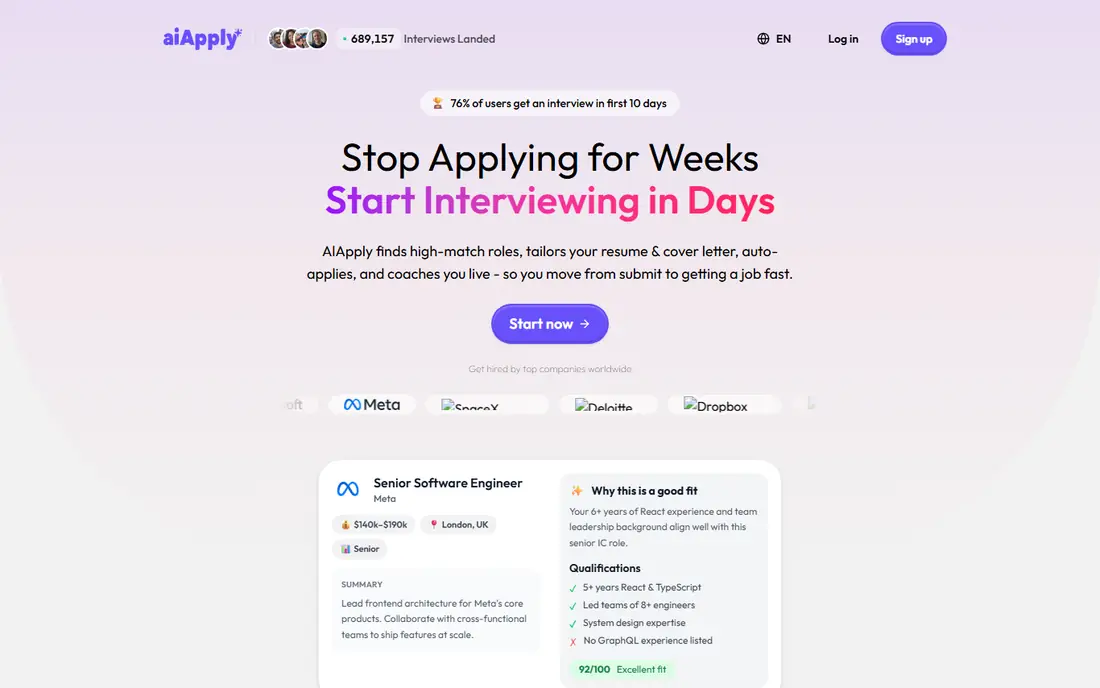
AIApply combines a resume builder, cover letter tools, and an Auto-Apply feature that submits applications on your behalf. That combination suits job seekers who want tailoring and submission in one account, rather than juggling a builder, a tracker, and a separate auto-apply tool. AIApply also offers interview preparation tools in some plans, which helps after applications turn into interviews.
The pricing structure needs checking before you commit. Auto-apply credits are sold separately on some plans, so the headline subscription price may not cover the volume you expect. Review how many auto-applies each plan includes, and test the resume output for accuracy before letting the tool submit at scale. For an all-in-one approach with auto-apply, AIApply is a strong starting point.
- Auto-apply plus resume and cover letter tools
- AI interview practice in some plans
- Broad job board coverage
- Auto-apply credits sold separately on some plans
- Pricing not fully public before signup
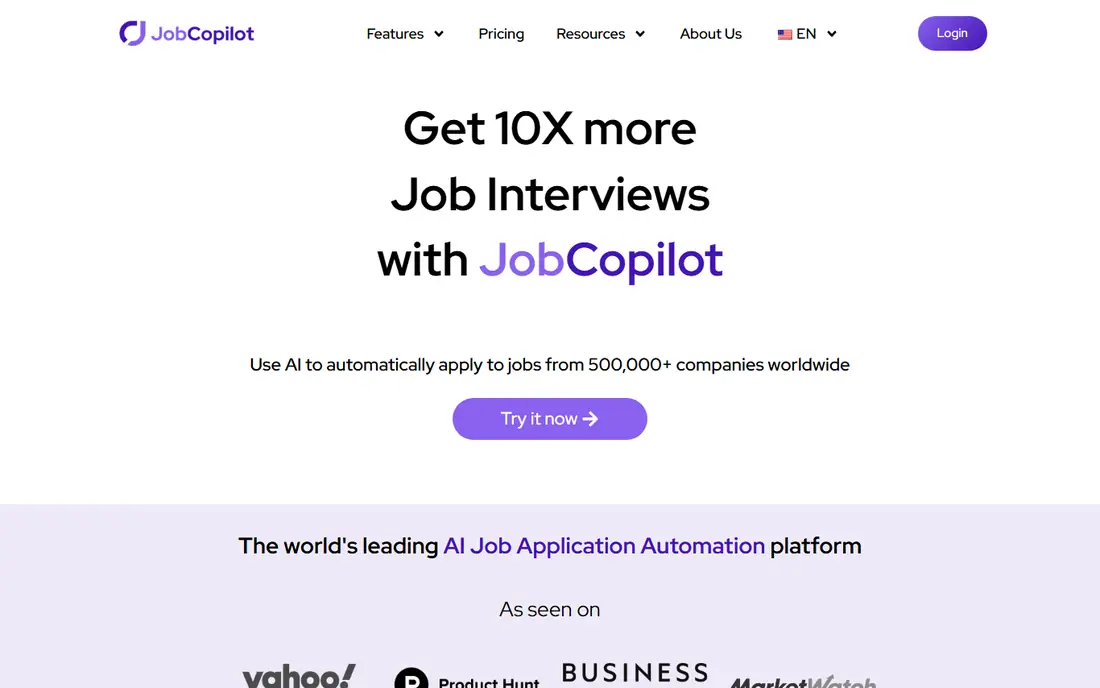
JobCopilot runs as an auto-apply agent focused on company career pages, which is where many real jobs are posted first. It can answer screening questions, build tailored documents on higher plans, and submit applications in the background while you focus on interviews and networking. That career-page breadth sets it apart from tools that only handle LinkedIn Easy Apply forms.
JobCopilot largely skips LinkedIn, so LinkedIn-heavy job seekers should pair it with another tool or apply manually there. Full per-job tailoring sits on the Elite plan, while lower plans offer more basic document support. Pricing ranges across monthly plans, so check the current plan page for caps. For career-page volume with screening answers handled, JobCopilot is a strong pick.
- Applies on company career pages, not only job boards
- AI screening answers
- Document builders
- Largely skips LinkedIn
- Higher plans needed for full tailoring
- Monthly price varies by plan
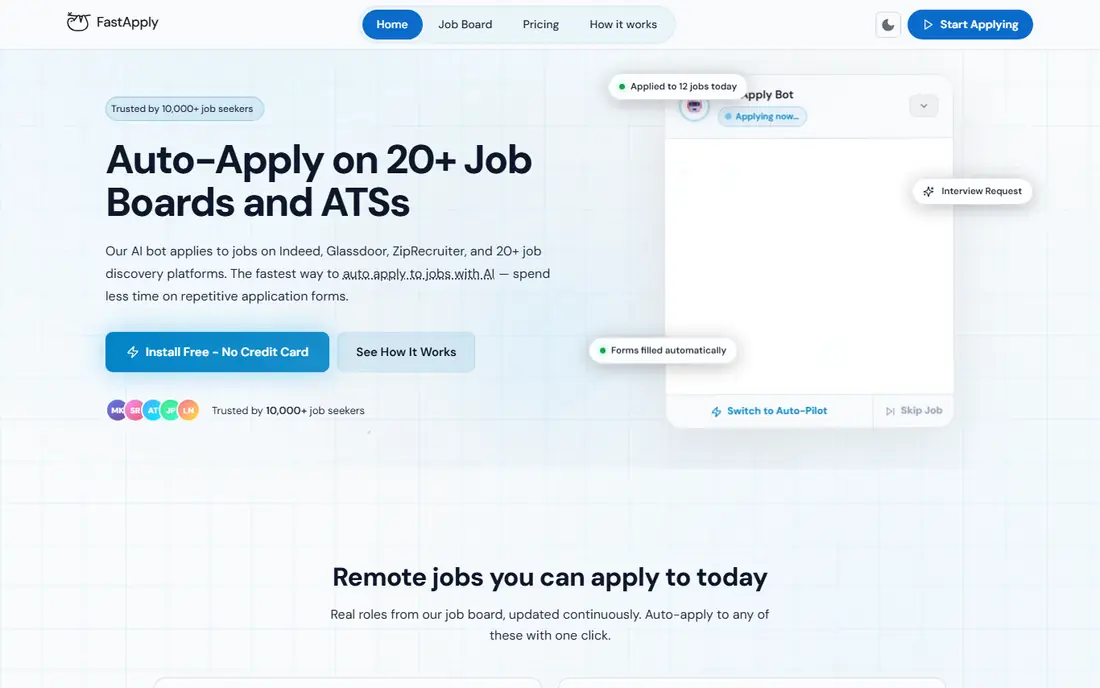
FastApply covers the full workflow in one subscription: it finds matching roles, tailors a resume and cover letter per job on Pro and Elite tiers, submits through employer applicant tracking forms, and tracks each application. Its free tier offers a small number of applications with no card, which lets you test real auto-apply before paying. That end-to-end design suits job seekers who want tailoring and submission together without buying add-ons.
FastApply is a newer vendor than Teal or Simplify, so its public review history is shorter. Plan caps matter, since Pro and Elite tiers set different application limits, and high-volume plans cost more. Review each tailored resume before submission, and use the free applications to judge output quality. For tailored auto-apply in one plan, FastApply is our pick for most job seekers.
- Per-job tailored resume and cover letter on Pro plans
- Auto-apply plus tracking
- Free applications to test
- Newer vendor with shorter review history
- Plan caps need checking
- Volume plans cost more
Teal is the best free starting point in this category, even though it is not an auto-apply tool. Its free tier offers unlimited resumes and job tracking with no card, plus a job tracker that organizes applications, contacts, and stages in one place. Paid Teal+ adds AI bullet suggestions, match scores, and more resume tools, with pricing around $29 per month or lower on quarterly billing in recent guides.
Teal will not submit applications for you. You still fill and submit each form manually, though Teal helps you tailor resumes and track progress. That limit matters if your goal is hands-off volume. If your goal is organized, tailored applications with a free tracker, Teal is the best foundation, and you can pair it with an auto-apply tool later.
- Free tier with unlimited resumes and job tracking
- AI bullet suggestions on paid plans
- Match scores
- Does not auto-submit applications
- Paid plan needed for full AI features
- Manual submit still required
Simplify offers a free autofill extension that fills application forms across many job boards and applicant tracking portals, including Workday, Greenhouse, Lever, and others. That saves the repetitive typing that makes manual applications slow, and its tracker helps you follow each application after submission. Simplify+ adds more features, with pricing around $19.99 per week in recent guides, though paid details should be checked on the current site.
Simplify does not truly auto-apply in the hands-off sense. You still review and press submit on most applications, which is safer for accuracy but slower than JobCopilot or FastApply. AI resume features on the free tier are limited. If you want faster manual applications without handing over submission control, Simplify is a solid free tool.
- Free autofill extension
- Covers many job boards and portals
- Job tracker included
- Autofill only, not true auto-apply
- Limited AI resume on free tier
- Paid tier needed for more features
LoopCV automates job applications through loops: you set search criteria, upload a CV, and LoopCV applies to matching jobs on LinkedIn, Indeed, and other boards on a schedule. It also supports CV testing, letting you compare how different CV versions perform across loops. That structure suits job seekers who want steady volume with minimal daily effort.
LoopCV largely reuses a stored CV per loop rather than rewriting it for each job, so tailoring is weaker than FastApply or JobCopilot Elite. Paid plans start around 9.99 euros per month in recent guides, with higher tiers for more loops and volume. If steady board volume matters more than per-job tailoring, LoopCV is a practical choice. If tailoring matters most, pair it with a resume tool or choose a tailoring-first platform.
- Automated application loops
- CV testing across loops
- Covers LinkedIn, Indeed, and other boards
- Reuses a stored CV per loop rather than tailoring each time
- Paid plans needed for volume
LazyApply is the veteran bulk-apply tool for LinkedIn Easy Apply, Indeed, and ZipRecruiter forms. It charges a one-time payment rather than a monthly subscription, with Basic plans around $99 per year in recent guides and higher tiers for more volume. Setup is simple: install the extension, set filters, and let it submit Easy Apply forms in bulk. For job seekers whose only metric is volume on Easy Apply roles, LazyApply is cheap and direct.
The limits are stark. LazyApply sends the same resume everywhere, with no per-job tailoring and no cover letters, and it does not handle complex applicant tracking forms well. That volume can also trigger employer spam filters or account flags if used aggressively. Use LazyApply only for high-volume Easy Apply roles, and reserve tailored manual applications for roles you care about most.
- One-time payment option
- Bulk LinkedIn and Indeed Easy Apply
- Simple setup
- Same resume everywhere, no per-job tailoring
- Limited to Easy Apply style forms
- No tracking depth
Jobright combines AI job matching with a resume builder and an autofill Chrome extension that works across thousands of applicant tracking platforms. It suggests roles that fit your profile, helps you build an ATS-friendly resume, and fills forms faster than manual entry. That combination suits job seekers who want better matching plus faster applications, without fully handing over submission.
Jobright is mainly an autofill assist tool, not a hands-off auto-apply agent for most roles. You still submit most applications yourself, which keeps control but limits volume. Paid pricing is not clearly public in all guides, so check the current site before upgrading. For matching plus faster manual applications, Jobright is a strong free starting point.
- AI job matching
- ATS-friendly resume builder
- Autofill extension across many platforms
- Autofill assist, not full auto-submit for most roles
- Paid pricing not clearly public
Sonara uses AI matching to find roles that fit your profile, then applies on your behalf and tracks each application. It has a tech focus, which suits software, data, and engineering job seekers who want automated applications without managing many boards. Tracking helps you see which applications are pending, rejected, or moving to interviews, so you can follow up where it matters.
Tailoring on Sonara is basic compared with FastApply or JobCopilot Elite, and pricing sits around $49 per month in recent guides. Non-tech job seekers may find fewer matches. If you work in tech and want AI matching plus auto-apply in one tool, Sonara is worth testing on a trial before committing monthly.
- AI matching plus auto-apply
- Tech job focus
- Application tracking included
- Monthly price around $49 in recent guides
- Tailoring is basic
- Tech focus limits other fields
Huntr is primarily a job tracker with a board view for applications, contacts, and stages, plus an autofill extension and AI tools for resumes and cover letters. It helps job seekers stay organized across many applications, which is often the real bottleneck in a long search. The free tier covers tracking basics, while paid plans add fuller AI document features.
Huntr does not auto-submit applications in the hands-off sense, so it will not replace JobCopilot or FastApply for volume. Manual submission is still required, though autofill speeds it up. If organization and tailored documents matter more than hands-off volume, Huntr pairs well with Teal-style tracking and manual applications for priority roles.
- Strong job tracker with board view
- Autofill extension
- AI resume and cover letter help
- Not a true auto-apply tool
- Paid plans needed for full AI features
- Manual submit required
How we picked these
We compared official product pages, pricing pages, and current auto-apply guides for tools active in October 2026. We required each tool to help with job applications specifically, through auto-apply, autofill, resume tailoring, or tracking, not general job search alone. We favored tools that state clearly whether they submit or only fill forms, and we noted where tailoring is per-job versus reused. We did not claim hands-on testing. Our ranking rests on published features, plan details, and documented strengths and limits.
Auto-apply safely: truthfulness, limits, and employer rules
Auto-apply tools save time, but they also create risks if used blindly. Never let a tool invent skills, jobs, or qualifications you do not hold. Recruiters increasingly spot AI-generated deception, and a tailored resume that adds false experience can end a candidacy or an offer. Review every tailored resume and cover letter before submission, and keep a copy of exactly what was sent for each role.
Respect volume limits and employer rules. Some employers block automated applications, and some platforms limit how many applications an account can send per day. Sending hundreds of untargeted applications can also hurt your reputation with recruiters who see the same generic profile repeatedly. Use auto-apply for volume roles, and apply manually with a custom note for roles you truly want. That mix gives you scale without sacrificing quality where it counts.
Frequently asked questions
What is the best AI job application tool?
For tailored auto-apply in one plan, FastApply and JobCopilot Elite are strong picks, since they tailor documents per job and submit applications. AIApply suits users who want auto-apply plus interview tools. Teal suits users who want a free tracker and builder without auto-apply. The best tool depends on whether you want hands-off volume, tailoring, or tracking.
What is the best AI platform for job applications?
AIApply, JobCopilot, and FastApply lead for full application handling, since they combine matching, tailoring, and submission. Simplify and Jobright lead for autofill-assisted manual applications. Teal and Huntr lead for tracking. Choose a submission tool for volume, and a tracker for organization, or use one of each together.
Do AI job application tools really work?
They work for volume and form-filling, but they do not guarantee interviews. Tailored applications perform better than generic bulk sends, and targeted manual applications still beat automation for priority roles. Use auto-apply to cover many suitable roles, and invest manual effort in the roles that matter most.
Is auto-apply safe for my accounts?
Auto-apply can trigger platform limits or employer blocks if used aggressively, especially on LinkedIn Easy Apply. Use reasonable daily limits, review submissions, and keep your resume truthful. Avoid tools that ask for credentials in unsafe ways, and check each tool privacy policy before connecting job board accounts.
What is the difference between auto-apply and autofill?
Auto-apply submits the application for you, while autofill only fills form fields and leaves submission to you. JobCopilot and FastApply offer true auto-apply, while Simplify, Jobright, and Huntr mainly offer autofill. Check this distinction before paying, since the price and value differ sharply.
Can AI tools tailor my resume for each job?
Yes, some tools do. FastApply tailors resumes and cover letters per job on Pro plans, JobCopilot tailors on Elite plans, and AIApply offers resume tools alongside auto-apply. LoopCV and LazyApply largely reuse a stored resume. Always review tailored output for accuracy before it is sent.
Sources
See where you really rank - block by block
ProMapRanker scans Google Maps across a grid of your service area. Simple monthly plans from $19, white-label on every plan.
Start freeKeep reading
 best contact center software
Best Contact Center Software in 2026
We compared the best contact center software on channels, AI tools, pricing and scale, so you can pick a platform that fits your team size and budget in 2026.
Read → best compliance management software
Best Compliance Management Software in 2026
Compare the best compliance management software in 2026, with framework coverage, automation, audit support and pricing models explained clearly for teams.
Read → best commercial property management software
Best Commercial Property Management Software in 2026
Compare the best commercial property management software for offices, retail, and mixed portfolios, with pricing, accounting, leasing, and honest trade-offs.
Read →