 ProMapRanker
Alternatives to TurboTax in 2026

Key takeaways
- FreeTaxUSA and Cash App Taxes are our picks for confident filers who want the lowest cost, because both offer free federal filing.
- H&R Block is the best choice when you want online filing plus the option to walk into an office for help.
- TaxSlayer and TaxAct offer strong value for moderately complex returns, including self-employment and investment income.
- Jackson Hewitt Online and 1040.com suit filers who want one simple flat price instead of tiered pricing.
- Tax prices change through the season, so confirm the final price at checkout before you file.
Quick comparison
| Pick | Great for | Pricing starts at | Free tier | |
|---|---|---|---|---|
 H&R Block H&R Block | Online filing with in-person backup | Free | Yes | Visit |
 TaxAct TaxAct | Budget filing with business return options | Free | Yes | Visit |
 TaxSlayer TaxSlayer | Value filing with expert support | Free | Yes | Visit |
 FreeTaxUSA FreeTaxUSA | Lowest-cost federal filing for all forms | Free | Yes | Visit |
 Cash App Taxes Cash App Taxes | Completely free federal and state filing | Free | Yes | Visit |
 Jackson Hewitt Online Jackson Hewitt Online | Flat-rate filing for many situations | $25 | No | Visit |
 1040.com 1040.com | One flat price for federal and state | $34.99 | No | Visit |
 eFile.com eFile.com | Simple online filing with live help options | See website | Yes | Visit |
The best alternatives to TurboTax
This guide is for general information only and is not tax advice. Tax rules change, and your own situation may need a tax professional, especially for a business, a rental property, or an unusual year. The services below all file United States federal and state returns online, and each one trades guidance, support, and price in a different way. We compared them on free coverage, paid tiers, state fees, and support options.

H&R Block is the closest mainstream alternative in this list, and its main advantage is choice. You can file online at home, get live help by chat or video on paid plans, or walk into an office when a return gets complicated. The Free Online tier covers simple returns at no federal or state cost, while Deluxe, Premium, and Self-Employed tiers add investment, rental, and business coverage.
The price is the trade-off. Paid online tiers cost more than FreeTaxUSA or TaxSlayer, and state filing adds a fee on paid plans. Seasonal pricing also means the price you see early in the season may differ from the price near the deadline. If you value a human backup and a well-known brand, H&R Block is worth the extra cost.
- Free Online tier for simple returns
- Thousands of offices for in-person help
- Live expert help on paid plans
- Paid tiers cost more than budget rivals
- State fees add up on paid plans

TaxAct is a good middle-ground choice for filers who want a mainstream guided product without paying top-tier prices. The Free Edition covers simple W-2 returns, while Deluxe, Premier, and Self-Employed tiers add investments, rentals, and Schedule C income. TaxAct also sells separate business return products for partnerships, S corporations, and corporations, which matters for owners who file more than a personal return.
The interface is functional rather than polished, and the step-by-step guidance can feel plainer than the market leader. Expert help costs extra on some plans, and state filing is billed separately. For a filer who knows the basics and wants a lower bill with room to grow into business filing, TaxAct is a practical pick.
- Free tier for simple returns
- Separate business products for partnerships and corporations
- Solid import tools
- Interface feels less polished than top rivals
- Expert help and state fees add to the total
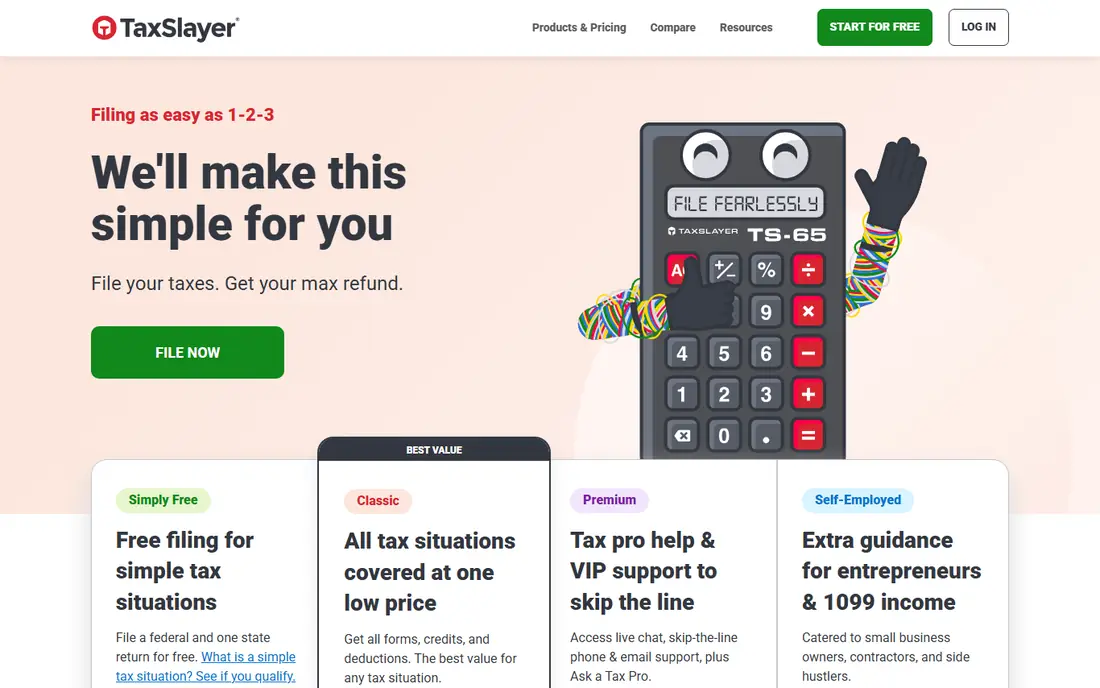
TaxSlayer appeals to value shoppers who still want help when they get stuck. Simply Free covers simple returns at no cost, while Classic, Premium, and Self-Employed tiers add broader form coverage at prices below the largest brands. Paid plans include support options and audit assistance features that budget rivals sometimes charge extra for.
The state fee deserves attention. At $47.99 per state on many plans, it can nearly double the bill for a single-state filer on a low-cost federal tier. The free tier also has strict eligibility rules, so many filers will land on a paid plan. If you file in one state and want a low total with real support, compare the combined federal and state price, not the federal price alone.
- Low-cost paid tiers
- Simply Free tier for simple returns
- Support by phone, email, and chat on paid plans
- State fee is high relative to the federal price
- Free tier has narrow eligibility
FreeTaxUSA is the best value in this list for confident filers. Federal filing is free for all returns and all forms, including self-employment, rentals, and investments, which is rare. State filing costs $15.99 per state, and a Deluxe upgrade at $7.99 adds priority support and audit assistance. That combination keeps the total far below most rivals for the same return.
The trade-off is hand-holding. The interview is clear but less guided than premium products, and live expert help is thinner. If you understand your forms, or you file a similar return each year, FreeTaxUSA saves real money with no loss in filing accuracy. If you need step-by-step coaching, H&R Block or TaxSlayer will feel safer.
- Federal filing is free for every tax situation
- State filing is $15.99 per state
- Low-cost Deluxe upgrade
- Guidance is plainer than premium rivals
- Live expert help is limited
Cash App Taxes is the simplest price story here: free. Federal and state filing are free, with no paid tiers and no checkout upsell, and the product covers W-2 income, self-employment, itemized deductions, and common credits. For a filer who wants to pay nothing and does not need live expert help, it is hard to argue with that offer.
The limits matter for some filers. Support is mainly in-app help and chat, not a live CPA review, and you can file one federal and one state return. State e-filing coverage has limits, so check your state before you rely on it. For a straightforward to moderately complex return, Cash App Taxes is our top free pick. For a complex year, pair it with a professional review or pick a paid product with expert help.
- Free federal and state filing with no paid tiers
- Covers self-employment and itemized deductions
- No upsell paywall
- No live CPA support
- Limited to one federal and one state return
- Some state e-filing limits apply
Jackson Hewitt Online charges a flat $25 for federal and state filing, with all tax situations covered at that price in its online product. That simplicity helps multi-state filers and anyone tired of tiered pricing, because the bill does not jump when a new form appears. In-person Jackson Hewitt offices also exist as a backup, though office preparation is priced separately.
The online product is simpler than premium rivals. Form import is limited, so many filers enter data manually, and active stock traders with many transactions may find entry slow. Landlords who need depreciation help may also struggle. For a filer with a few forms who wants one predictable price, Jackson Hewitt Online is good value.
- One flat $25 price for federal and state
- Covers many tax situations
- In-person offices as backup
- No free plan
- Manual entry for many forms
- Active traders and landlords may find it limited
1040.com takes flat pricing one step further than most rivals: $34.99 covers federal and state filing, no matter how complex the return. That makes budgeting easy, especially for a filer with investments, rentals, or self-employment income who would land on a higher tier elsewhere. There are no tier jumps mid-return, which is a common frustration with other products.
There is no free plan, so a simple filer may pay more here than with a free tier elsewhere. Guidance is also plainer than premium products, so confident filers will get the most from it. If your return is complex and you want one honest price, 1040.com is a strong, simple alternative.
- One flat $34.99 price for federal and state, no matter the complexity
- Simple pricing with no tier surprises
- No free plan
- Guidance and support are plainer than premium rivals
eFile.com is a smaller online filer that covers the common ground: guided federal and state filing, e-filing, and help options for filers who get stuck. A free tier covers simple returns, while paid plans add broader form coverage and support. That structure suits a filer who wants a guided product without paying for the largest brand name.
Because eFile.com is smaller and its prices vary by season, check the current plan price and state fee before you start. Support and import tools are solid for common returns, but they are less deep than the largest platforms for complex business or investment situations. For a straightforward return at a fair price, eFile.com is a worthy alternative to try.
- Guided online filing with live help options
- Covers common federal and state forms
- Free tier for simple returns
- Pricing varies by plan and season
- Less well known than the largest brands
How we picked these
We compared official pricing pages, feature lists, and public reviews for online tax filing services that exist and work today, and we kept only services that truly file United States personal returns. We favored free federal coverage, clear state fees, support options, and coverage for self-employment, investments, and rentals. Prices quoted here are entry or flat prices found in October 2026, and tax software prices change through the season, so check the vendor pricing page and the final checkout price before you file. We did not claim hands-on testing we did not do; our comparison rests on vendor documentation, pricing, and public user feedback. This guide is not tax advice.
How to choose the right tax software
Start with your forms, not with the brand name. List your income types: W-2, self-employment, investments, rentals, and any credits you claim. A free tier that excludes your main form is not free for you. Check the paid tier that covers all your forms, add the state fee, and compare that total across products. That total, not the advertised starting price, is the real comparison.
Next, be honest about how much help you need. A confident filer who files a similar return each year can save money with FreeTaxUSA or Cash App Taxes. A first-time filer, or anyone with a new business, a rental, or a large investment year, may benefit from live expert help or an office visit. Paying for help is cheaper than fixing a missed form later.
Check state coverage and import tools early
Confirm that the product e-files in your state, and check whether it imports your W-2, 1099 forms, or prior-year return. Import tools save time and cut typing errors, especially for investment accounts. If your product needs manual entry for many trades, that time cost may outweigh a lower price.
File early and review before you submit
Start early in the season, when prices are often lower and support waits are shorter. Review every form before you submit, check that your refund or amount owed matches your expectation, and keep a copy of the filed return. If anything looks wrong, pause and ask for help rather than filing a return you do not understand.
Frequently asked questions
What is the best tax prep software for most people?
For most confident filers, FreeTaxUSA offers the best value, because federal filing is free for all forms and state filing is low cost. H&R Block is the best choice when you want in-person backup, and Cash App Taxes is the best fully free option. The best tax service online depends on your forms and how much help you need.
What are the best TurboTax alternatives that are free?
Cash App Taxes is free for federal and state filing, and FreeTaxUSA is free for federal filing for all forms. H&R Block, TaxAct, and TaxSlayer also offer free tiers, but those free tiers cover simple returns only. Check eligibility before you assume a free tier covers your return.
What is the best cheap tax software for self-employed filers?
FreeTaxUSA and Cash App Taxes are the cheapest options for self-employed filers, since both cover Schedule C income without a paid tier. TaxSlayer Self-Employed is a good low-cost paid option when you want more support. Compare the combined federal and state total, since state fees vary widely.
What is the best software for taxes with investments or rentals?
H&R Block Premium, TaxAct Premier, and TaxSlayer Premium all cover investments and rentals with guided help, while FreeTaxUSA covers the same forms for free federal filing. The best tax preparation software for investments depends on whether you want import tools and live help, or the lowest price. Active traders should check import support before choosing.
Is Cash App Taxes really free?
Yes, Cash App Taxes offers free federal and state filing with no paid tiers, according to its own product pages. It covers many common situations, including self-employment and itemized deductions, but support is limited and you can file one federal and one state return. Check state e-filing coverage for your state.
Should I use tax software or hire a tax professional?
Tax software suits most straightforward returns, including W-2 income, common credits, and simple self-employment. Hire a tax professional for a complex business, a large rental portfolio, an audit, or a year with unusual income. This guide is not tax advice, and a professional can review situations that software cannot judge.
Sources
See where you really rank - block by block
ProMapRanker scans Google Maps across a grid of your service area. Simple monthly plans from $19, white-label on every plan.
Start freeKeep reading
 zeffy payment processor stripe alternatives
Zeffy and Stripe Alternatives for Nonprofits in 2026
Explore zeffy payment processor stripe alternatives for nonprofits. We compare 8 fundraising platforms on fees, donor tools, and nonprofit focus. Check fees.
Read → workday alternatives
Workday Alternatives in 2026
Workday alternatives compared: we review 8 HR and payroll platforms that replace Workday, with pricing, strengths and honest limits for each team size.
Read → what's the best weather app
What's the Best Weather App in 2026
Wondering what's the best weather app? We compare 10 free and paid apps for forecasts, radar, alerts, and Colorado mountain weather for everyday and storm use.
Read →